Hikvision DS-C9148T-48PETK9 – High-Performance PoE Network Switch for CCTV & Industrial Networks
Product Overview
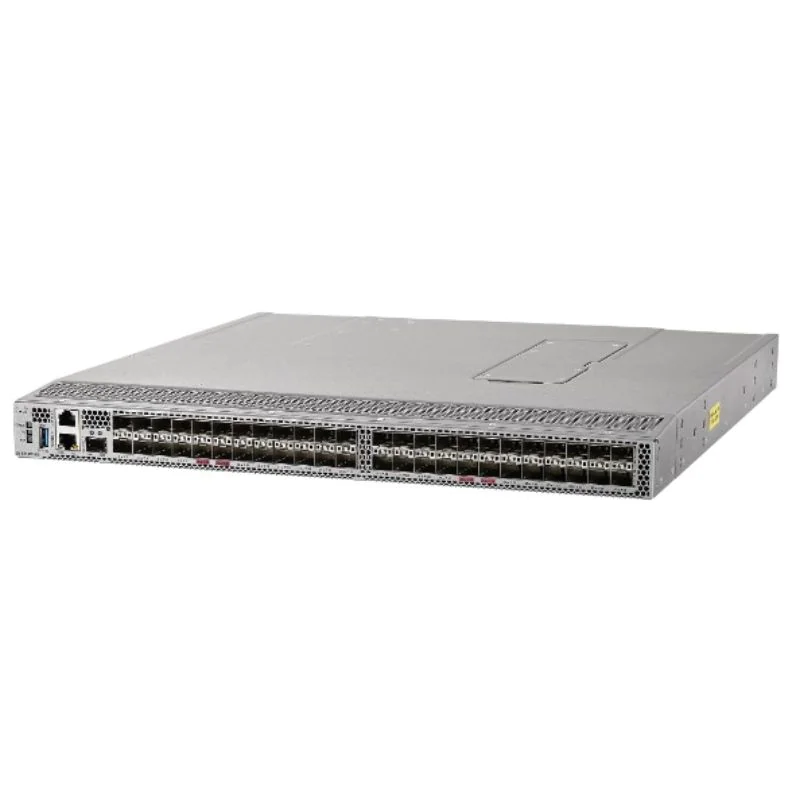
The Hikvision DS-C9148T-48PETK9 is a high-performance, 48-port PoE network switch, specifically designed for video surveillance, industrial automation, and large-scale IP camera deployments. As part of Hikvision’s enterprise-grade networking portfolio, this switch combines high-speed data transmission, PoE support, and robust reliability, ensuring that both IP cameras and industrial devices are powered and connected efficiently.
With 48 Gigabit PoE ports and 4 SFP fiber uplinks, the DS-C9148T-48PETK9 can handle large-scale CCTV networks, smart building systems, and IoT deployments, providing stable, low-latency, and secure connectivity for critical infrastructure.
Key Features & Highlights
48 × 10/100/1000 Mbps PoE ports supporting IEEE 802.3af/at standards
4 × Gigabit SFP uplink ports for fiber backbone connectivity
Total PoE budget of 740W, powering multiple IP cameras and devices
Advanced Layer 2 switching features: VLAN, QoS, IGMP Snooping, and Port Mirroring
Fanless or low-noise design for indoor and control room deployment
Extended temperature operation for industrial environments
Security features including MAC address binding, ACLs, and storm suppression
Supports SNMP, RMON, and Web-based management for centralized monitoring
Technical Specifications
| Feature | Specification |
|---|---|
| Ports | 48 × Gigabit PoE + 4 × SFP uplinks |
| PoE Standard | IEEE 802.3af/at |
| PoE Budget | 740W |
| Switching Capacity | 104 Gbps |
| Forwarding Rate | 77.38 Mpps |
| VLAN Support | 4K VLANs, port-based, MAC-based |
| QoS | 8 priority queues |
| Management | Web GUI, SNMP, RMON |
| Fiber Uplink | 4 × 1000Base-X SFP |
| Operating Temperature | 0°C ~ 50°C (extendable with industrial model) |
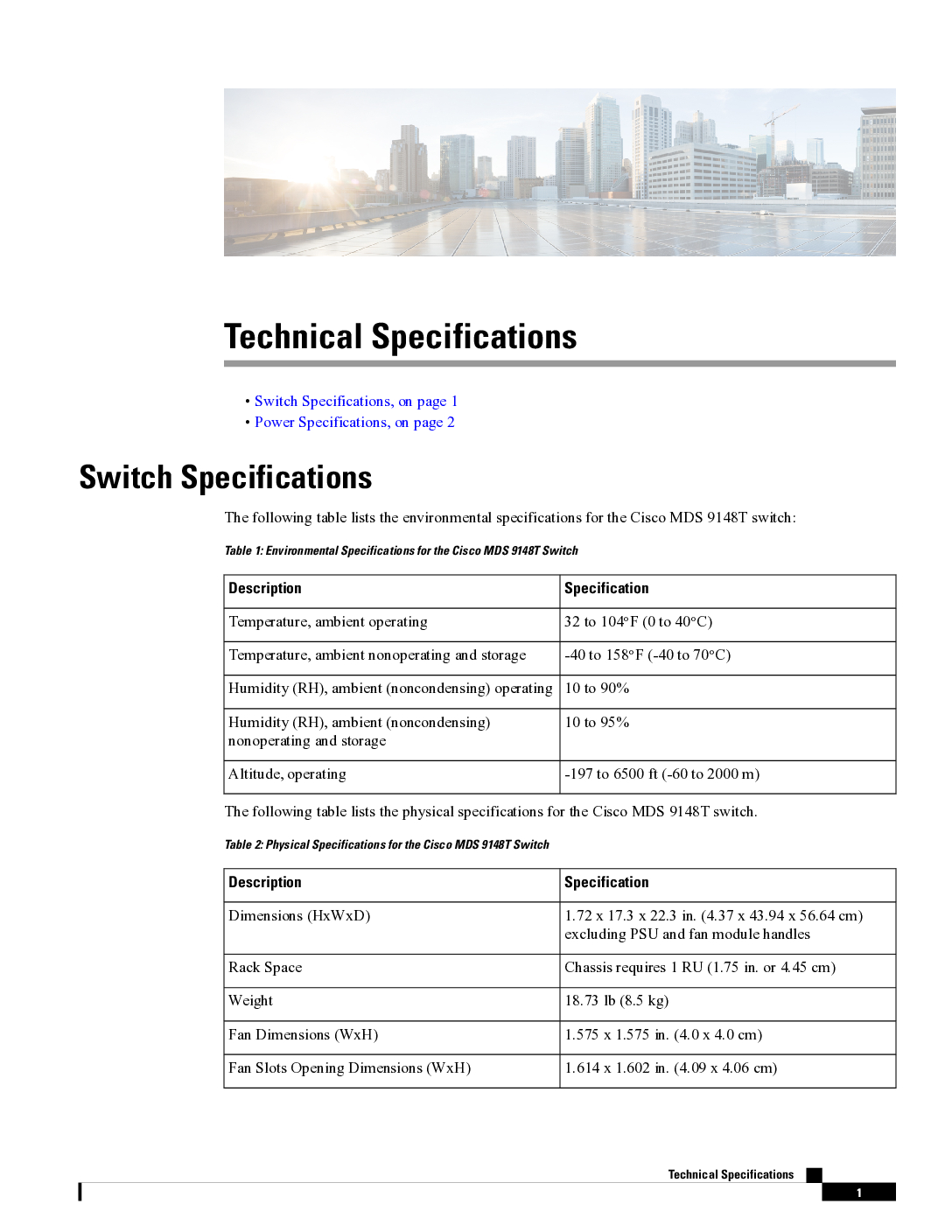
| Dimensions (W×D×H) | 440 × 210 × 44 mm |
| Mounting | Rack-mount (1U) |
PoE Capabilities
The DS-C9148T-48PETK9 is ideal for powering IP cameras, access points, and IoT devices directly through the Ethernet cable.
Supports IEEE 802.3af/at standards for PoE and PoE+ devices.
Total PoE budget of 740W, enough to power up to 48 cameras, depending on individual device power consumption.
Simplifies cabling by eliminating the need for separate power supplies for connected devices.
Hikvision DS-C9148T-48PETK9 – High-Performance PoE Network Switch for CCTV & Industrial Networks
Layer 2 Switching Features
The switch provides enterprise-grade Layer 2 features for traffic management and network efficiency:
VLAN segmentation: separate traffic for cameras, IoT devices, and corporate networks.
QoS support: prioritizes video streaming and latency-sensitive traffic.
IGMP Snooping: efficient multicast transmission for IP cameras.
Port Mirroring: enables network monitoring and troubleshooting.
Link Aggregation: combines multiple ports for higher throughput and redundancy.
Security Features
The DS-C9148T-48PETK9 is designed to protect critical surveillance networks:
MAC address binding prevents unauthorized devices.
Access Control Lists (ACLs) filter unwanted traffic.
Storm suppression protects against broadcast/multicast flooding.
Supports SNMPv1/v2/v3 and RMON for secure monitoring.
Typical Deployment Scenarios
1. Large-scale CCTV Networks
Ideal for shopping malls, airports, hospitals, and campuses.
Powers multiple IP cameras via PoE while handling high-throughput video traffic.
VLANs and QoS ensure smooth video streaming without packet loss.
2. Industrial Automation
Connects PLCs, HMIs, IoT gateways, and sensors.
PoE support powers devices without additional cabling.
Industrial-grade reliability ensures continuous operation in factories and warehouses.
3. Smart Building & IoT
Supports access control systems, sensors, and surveillance cameras.
Centralized management simplifies network monitoring and maintenance.
Fiber uplinks enable inter-building or multi-floor connectivity.
Management & Monitoring
The switch provides multiple management options for easy deployment and network control:
Web-based GUI for configuration and monitoring.
SNMP & RMON for enterprise monitoring tools.
Port Mirroring for troubleshooting.
VLAN & QoS configuration to prioritize video and critical network traffic.
Hikvision DS-C9148T-48PETK9 – High-Performance PoE Network Switch for CCTV & Industrial Networks
Deployment Best Practices
Pre-Deployment Planning
Survey network layout and device locations.
Calculate PoE budget based on IP camera and device requirements.
Plan VLANs for traffic segmentation (e.g., CCTV, IoT, enterprise).
Installation
Rack-mount the switch in a server cabinet.
Connect PoE devices (IP cameras, APs) to Ethernet ports.
Connect fiber uplinks to core switches or network backbone.
Configure VLANs, QoS, and security features.
Post-Deployment
Monitor traffic via SNMP or web interface.
Apply firmware updates regularly for stability and security.
Check PoE consumption and device connectivity periodically.
Extended FAQ
How many devices can the DS-C9148T-48PETK9 support?
Supports 48 PoE devices and 4 fiber uplinks.
What is the PoE budget?
Total of 740W, enough to power multiple IP cameras and APs.
Can it handle high-resolution cameras?
Yes, with 48 Gigabit ports and QoS, it supports 4K and HD video streaming.
Is it suitable for industrial environments?
Yes, although it is primarily designed for indoor and rack-mounted surveillance networks.
How is security implemented?
Supports MAC binding, ACLs, storm control, and SNMPv3 monitoring.
Can it integrate with existing Hikvision devices?
Fully compatible with Hikvision NVRs, cameras, and access points.
What types of fiber modules are compatible?
Standard Gigabit SFP modules (single-mode or multi-mode).
Can it handle multiple VLANs?
Yes, supports up to 4K VLANs for traffic segmentation.
Does it support link aggregation?
Yes, allows combining multiple ports for higher bandwidth.
How is monitoring performed?
Via web GUI, SNMP, or RMON-based management tools.
SEO & Buyer Keywords
DS-C9148T-48PETK9
Hikvision 48-port PoE switch
PoE network switch for CCTV
Hikvision PoE switch Singapore
High-performance IP camera switch
Enterprise-grade PoE switch
Industrial network switch
Layer 2 PoE switch
PoE switch for surveillance networks
Network switch with fiber uplinks
Meta Description
“Hikvision DS-C9148T-48PETK9 48-port PoE network switch with 4 SFP fiber uplinks. High-performance Layer 2 switch for CCTV, industrial automation, and large-scale IP camera deployments.”
Hikvision DS-C9148T-48PETK9 – Ultimate Guide for CCTV & Industrial Network Deployments
Advanced PoE Planning & Device Management
The DS-C9148T-48PETK9 is ideal for large-scale IP camera networks, but careful PoE planning ensures stable operation:
| Device Type | Quantity | Power per Device (W) | Total Power (W) | Notes |
|---|---|---|---|---|
| 4K IP Camera | 32 | 20 | 640 | PoE+ supported |
| Standard IP Camera | 16 | 15 | 240 | PoE sufficient |
| Wireless AP | 5 | 12.5 | 62.5 | PoE ports can supply power directly |
| Total PoE Required | 942.5 | Use multiple switches for large networks |
Tips:
Always leave 20–30% PoE budget overhead for future devices.
Combine switches for multiple floors or large-area coverage.
Fiber uplinks do not consume PoE, so they are ideal for backbone connections.
CCTV Deployment Scenarios
1. Multi-Floor Commercial Building
Deploy DS-C9148T-48PETK9 switches on each floor.
Connect IP cameras, APs, and access control devices to PoE ports.
Fiber uplinks connect all floors to the central NVR or server room.
VLANs separate video traffic from enterprise and IoT networks.
QoS ensures high-quality 4K video streaming.
2. Airport or Transport Hub
Centralized monitoring room connected to multiple switches across terminals.
Redundant fiber uplinks using link aggregation and RSTP for failover.
PoE powering hundreds of IP cameras and wireless APs.
VLANs and ACLs ensure security and traffic isolation.
3. Industrial Facility or Factory
Switches installed in control cabinets and server rooms.
PoE devices include IP cameras, IoT sensors, and APs.
VLANs for production line, safety monitoring, and corporate networks.
Fiber uplinks connect multiple factory floors or buildings.
Fiber Redundancy & High Availability
Use dual fiber uplinks for redundancy to core switches.
Enable link aggregation (LACP) to increase throughput and failover.
Configure RSTP to allow rapid recovery if a link fails.
For mission-critical CCTV, use redundant NVR and storage systems alongside the switch.
Layer 2 Features & Network Optimization
VLAN Segmentation
Separate traffic: CCTV, IoT, corporate, and management.
Reduces congestion and improves security.
QoS & Traffic Prioritization
Prioritize video streams and low-latency industrial data.
Ensures smooth operation even under high network load.
IGMP Snooping
Efficient multicast for IP cameras and video streams.
Port Mirroring & Monitoring
Mirror ports for network analysis and troubleshooting.
Link Aggregation
Combine multiple uplink ports to increase bandwidth and redundancy.
Security & Device Protection
MAC Address Binding prevents unauthorized devices.
Access Control Lists (ACLs) filter unwanted traffic.
Storm Suppression avoids broadcast/multicast floods.
SNMPv3 ensures secure monitoring and management.
VLAN isolation prevents video traffic from leaking into corporate networks.
Extended Troubleshooting Guide
Issue 1: Cameras Not Receiving PoE
Verify switch PoE budget.
Check device power requirements and switch port configuration.
Inspect Ethernet cabling for faults.
Issue 2: Video Streaming Lag or Drops
Enable QoS prioritization for CCTV VLAN.
Check fiber uplink bandwidth and redundancy configuration.
Inspect network for packet loss or collisions.
Issue 3: Network Redundancy Failures
Confirm RSTP configuration and fiber connections.
Verify link aggregation (LACP) setup.
Check switch firmware versions and update if needed.
Issue 4: VLAN Misconfiguration
Ensure access and trunk ports are correctly assigned.
Confirm VLAN IDs match on all connected switches.
Test connectivity using ping or traceroute.
Hikvision DS-C9148T-48PETK9 – Complete Deployment, PoE Planning, and Troubleshooting Guide
1. Large-Scale CCTV Network Deployment – Step by Step
Scenario: A shopping mall with 200+ IP cameras across 5 floors requires reliable PoE power and high-bandwidth connectivity.
Deployment Steps:
Step 1: Survey & Planning
Identify all camera locations, APs, and IoT devices.
Map cable routes and rack locations for switches.
Plan VLAN segmentation: CCTV VLAN, corporate VLAN, IoT VLAN.
Calculate PoE budget for all connected devices.
Step 2: Switch Placement & Rack Installation
Install DS-C9148T-48PETK9 switches in 1U rack units per floor.
Ensure airflow and temperature control in server cabinets.
Label ports for cameras, APs, and uplinks for easier maintenance.
Step 3: PoE Device Connection
Connect IP cameras, APs, and IoT devices to PoE ports.
Ensure PoE budget is not exceeded.
For high-power cameras (PTZ or 4K), assign to PoE+ ports.
Step 4: Fiber Uplink Configuration
Use 4 × SFP fiber uplinks to connect all floor switches to the core switch.
Enable Link Aggregation (LACP) for redundancy and higher throughput.
Use RSTP for fast failover in case of fiber link failure.
Step 5: VLAN & QoS Setup
Configure VLANs for traffic isolation.
Enable QoS to prioritize CCTV video streams over non-critical traffic.
Use IGMP Snooping for efficient multicast traffic to NVRs.
Step 6: Testing & Verification
Ping all connected cameras to verify connectivity.
Check PoE status and ensure cameras are powered.
Test redundancy by temporarily disconnecting fiber uplinks.
Verify video streaming quality at NVRs.
2. Industrial Facility Deployment
Scenario: Factory floor with PLC, HMIs, sensors, and IP cameras.
Key Steps:
Mount switches in control cabinets for protection from dust and vibration.
Connect PLCs, HMIs, and sensors to PoE and copper ports.
Use VLANs to separate production, monitoring, and corporate networks.
Fiber uplinks connect multiple floors or buildings to central control.
Enable RSTP and QoS for deterministic traffic flow.
Outcome:
Continuous operation of critical production equipment.
PoE simplifies cabling and reduces costs.
VLAN isolation ensures security between production and corporate networks.
3. Smart City & Transportation Network
Scenario: Municipal deployment for CCTV, traffic sensors, and public Wi-Fi.
Deployment Highlights:
DS-C9148T-48PETK9 switches installed in street cabinets or control hubs.
Fiber uplinks to central city control servers.
PoE powering IP cameras, sensors, and small APs.
VLANs separate public Wi-Fi, CCTV, and IoT traffic.
RSTP ensures continuous operation during fiber or link failure.
Outcome:
Smooth video streaming from multiple city cameras.
Network redundancy reduces downtime.
Centralized monitoring simplifies maintenance and troubleshooting.
4. PoE Planning for Large Deployments
Device Type Quantity Power per Device (W) Total Power (W) Notes 4K PTZ Camera 32 25 800 PoE+ ports required Standard IP Camera 48 15 720 Regular PoE sufficient Wireless AP 20 12.5 250 Fiber backbone recommended Total PoE Required 1770 Use multiple switches to divide load Tips:
Keep 20–30% overhead for future device expansion.
Prioritize PoE+ ports for high-power devices.
Fiber uplinks do not consume PoE budget.
5. Fiber Redundancy & High Availability
Dual SFP uplinks for redundant connection to core switches.
Configure Link Aggregation (LACP) to increase throughput.
Enable RSTP to provide rapid recovery in case of link failure.
Use redundant NVRs and storage to ensure continuous CCTV recording.
6. Extended Troubleshooting Guide
1. Cameras not powered
Check PoE port configuration and budget.
Inspect cable and connectors.
Test device on another port.
2. Video lag or dropouts
Check VLAN and QoS configuration.
Inspect fiber uplinks for bandwidth or signal issues.
Monitor switch CPU and memory utilization.
3. Redundancy failover not working
Verify RSTP and link aggregation configuration.
Check fiber link health and module compatibility.
Update switch firmware.
4. VLAN issues
Ensure consistent VLAN IDs across all switches.
Verify trunk/access port configuration.
Test connectivity using ping or traceroute.
Hikvision DS-C9148T-48PETK9 – Full Industrial & CCTV Network Deployment Manual
1. Multi-Floor Campus Deployment Example
Scenario: University campus with 300+ IP cameras and multiple IoT devices across 6 buildings.
Deployment Strategy:
Core Switch Placement
Place a DS-C9148T-48PETK9 switch in the main server room.
Connect all floor and building switches via fiber uplinks.
Edge Switch Placement
Each building has 1–2 switches in wiring closets.
PoE ports connect IP cameras, APs, and access control devices.
VLAN Segmentation
VLAN 10: CCTV traffic
VLAN 20: IoT sensors
VLAN 30: Access control
VLAN 40: Corporate/management
QoS Setup
CCTV VLAN gets high priority.
IoT and access control traffic get medium priority.
Corporate VLAN is lowest priority.
Redundancy
Dual SFP fiber uplinks with LACP aggregation.
Enable RSTP to ensure instant failover if a link goes down.
Outcome:
No video loss across the campus.
PoE budget supports all devices with overhead for expansion.
VLAN segmentation isolates traffic and enhances security.
2. PoE Budget & Planning – 100+ Devices
Device Type Quantity Power per Device (W) Total Power (W) Notes 4K PTZ Cameras 50 25 1250 PoE+ ports required Standard IP Cameras 60 15 900 PoE sufficient Wireless APs 20 12.5 250 Fiber backbone recommended Access Control Panels 10 10 100 PoE powered Total Power Required 2500 Use multiple switches Tips:
Use multiple DS-C9148T-48PETK9 switches to balance load.
Leave 20–30% overhead for future devices.
PoE+ ports are reserved for high-power cameras.
Fiber uplinks connect switches to core NVRs or network backbone.
3. Fiber Uplink & Redundancy Configuration
Dual Fiber Uplinks
Each switch connects to two uplink ports for redundancy.
LACP combines links for higher bandwidth.
RSTP Configuration
Enables rapid failover if one link goes down.
Reduces downtime for CCTV streams and industrial traffic.
Redundant NVRs and Storage
Video recording is mirrored across primary and backup NVRs.
Ensures uninterrupted surveillance in case of server failure.
Hikvision DS-C9148T-48PETK9 – High-Performance PoE Network Switch for CCTV & Industrial Networks
4. VLAN & QoS Optimization
VLAN Example for Multi-Building Network:
VLAN ID Network Type Purpose 10 CCTV IP camera video traffic 20 IoT Sensors, gateways, smart devices 30 Access Ctrl Door locks, alarm systems 40 Corporate Admin PCs, network management 50 Guest Wi-Fi Segregated public network QoS Rules:
CCTV VLAN: High priority
IoT & Access Control: Medium priority
Corporate & Guest: Low priority
5. Industrial Deployment Case Study
Scenario: Manufacturing plant with 50+ PLCs, HMIs, sensors, and CCTV cameras.
Deployment Steps:
Switches installed in control cabinets with temperature protection.
PoE ports power CCTV cameras and sensors.
VLANs separate production network, CCTV network, and corporate network.
Fiber uplinks connect factory floors to central control.
Enable RSTP and QoS for reliable industrial traffic flow.
Outcome:
Continuous operation of industrial equipment.
Simplified cabling using PoE.
VLAN isolation ensures network security and prevents interference.
6. Extended Troubleshooting Workflows
Issue 1: Cameras Not Powering On
Check PoE budget and port configuration.
Swap device to another port to confirm PoE operation.
Inspect cables for defects.
Issue 2: Video Lag or Frame Drops
Verify VLAN assignments and QoS configuration.
Check fiber uplinks for bandwidth issues.
Monitor switch CPU/memory usage.
Issue 3: Redundant Link Failover Failure
Verify RSTP configuration and fiber connections.
Ensure all switches have updated firmware.
Test link failover manually to confirm operation.
Issue 4: VLAN Traffic Not Isolated
Confirm VLAN IDs match across all switches.
Check trunk port configuration.
Use ping/traceroute to test connectivity.
Buy Hikvision DS-C9148T-48PETK9 in Singapore – Choicecycle (SGCCTV)
For authentic Hikvision DS-C9148T-48PETK9 switches, expert consultation, and local support, contact:

📍 Sim Lim Square #02-81, Singapore
🕒 Operating Hours: 11 AM – 8 PM
📞 WhatsApp: +65 9853 4404
📧 Email: [email protected]
🌐 Website: https://sgcctv.biz


Nunc lacus elit, faucibus ac laoreet sed, dapibus ac mi. Maecenas eu ante a elit tempus fermentum. Aliquam commodo tincidunt semper. Phasellus accumsan, justo ac mollis pharetra, ex dui pharetra nisl, a scelerisque ipsum nulla ac sem. Cras eu risus urna. Duis lorem sapien, congue eget nisl sit amet, rutrum faucibus elit.
Donec accumsan auctor iaculis. Sed suscipit arcu ligula, at egestas magna molestie a. Proin ac ex maximus, ultrices justo eget, sodales orci. Aliquam egestas libero ac turpis pharetra, in vehicula lacus scelerisque. Vestibulum ut sem laoreet, feugiat tellus at, hendrerit arcu.
Nunc lacus elit, faucibus ac laoreet sed, dapibus ac mi. Maecenas eu ante a elit tempus fermentum. Aliquam commodo tincidunt semper. Phasellus accumsan, justo ac mollis pharetra, ex dui pharetra nisl, a scelerisque ipsum nulla ac sem. Cras eu risus urna. Duis lorem sapien, congue eget nisl sit amet, rutrum faucibus elit.