
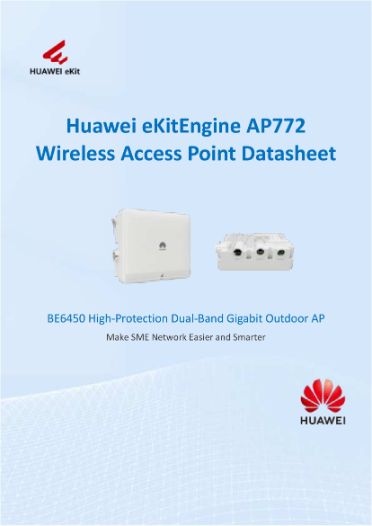


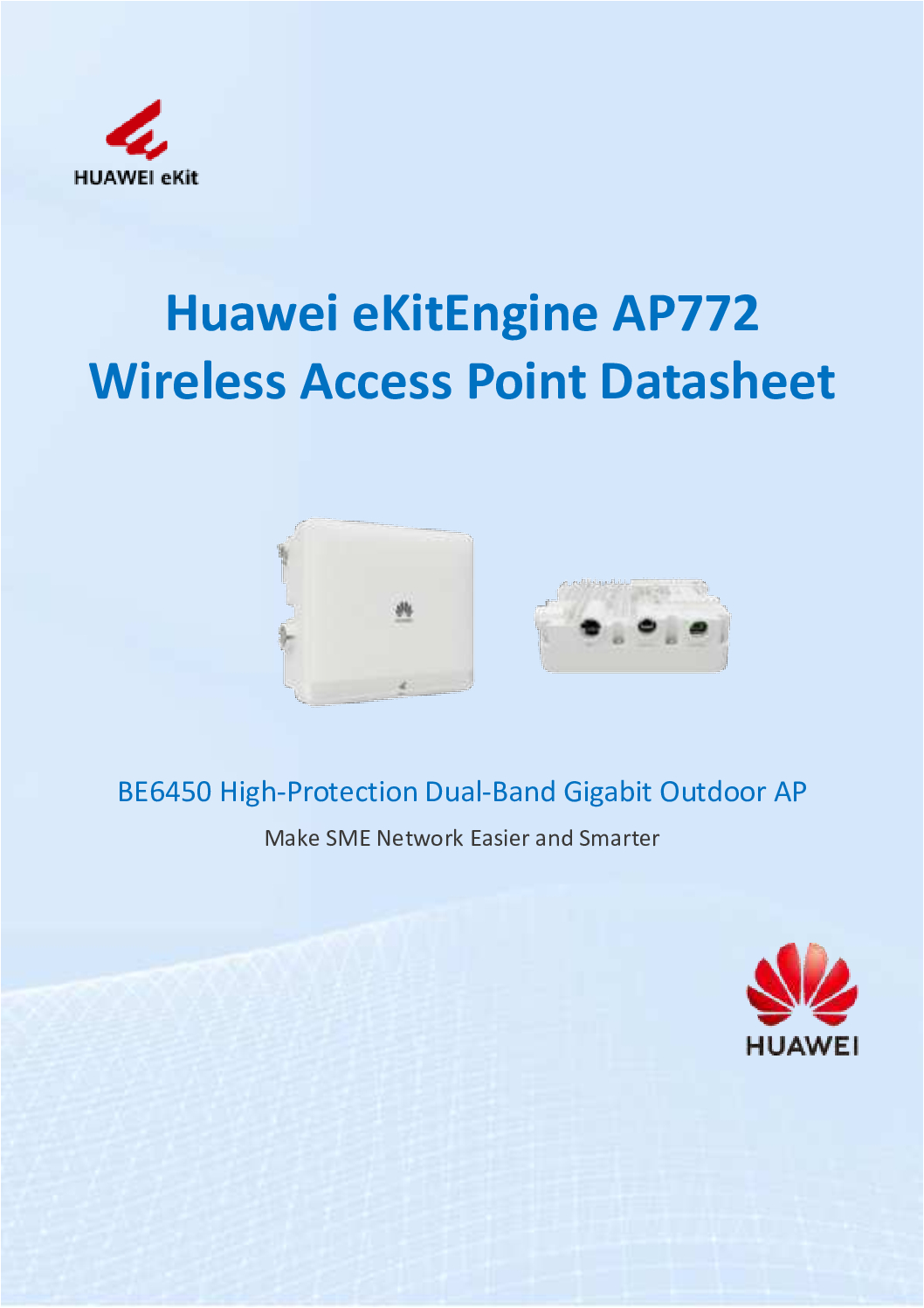
HUAWEI BE6450 High-Protection Dual-Band Gigabit Outdoor DB
in stock
$898.00
HUAWEI SINGAPORE OFFICIAL PARTNER
Supply and Maintenance HUAWEI SWITCH Access Control System, Video Intercom.
Sim Lim Square 02-81 10am-7pm Daily.
Whatsapp Enquiry Project +65 98534404, Technical Support +65 81120788, Site Visit Maintenance +65 81985572.
in stock
HUAWEI BE6450 High-Protection Dual-Band Gigabit Outdoor
The Huawei BE6450 (AP772) is a high-protection, dual-band gigabit outdoor access point designed to provide reliable, high-speed wireless coverage in outdoor and harsh environments. Perfect for enterprises, campuses, parks, industrial areas, and public spaces, this outdoor AP with gigabit ports combines long-range performance, weatherproof design, and enterprise-grade network features to ensure seamless connectivity over large areas.
Key Features of Huawei BE6450 / AP772
High-Performance Dual-Band Connectivity
Supports dual-band Wi-Fi (2.4 GHz & 5 GHz) for efficient traffic management
Provides gigabit wireless speeds, ensuring fast internet access for multiple devices
Optimized for high-density environments with multiple concurrent connections
Long-Range Outdoor Coverage
Designed to deliver stable, long-distance outdoor Wi-Fi coverage
Ideal for campuses, industrial areas, parks, and public spaces
Ensures connectivity in challenging outdoor conditions
Rugged, High-Protection Design
Weatherproof and dustproof: IP65/IP66 protection ensures durability against rain, dust, and extreme weather
Resistant to temperature fluctuations, humidity, and strong sunlight
Built for industrial-grade performance in harsh environments
HUAWEI BE6450 High-Protection Dual-Band Gigabit Outdoor
Gigabit Wired Connectivity
Includes gigabit Ethernet ports for high-speed wired uplinks
Supports PoE (Power over Ethernet) for simplified deployment without extra power cabling
Enterprise-Grade Management
Fully compatible with Huawei centralized wireless management systems
Supports remote monitoring, configuration, and firmware updates
Provides advanced features like band steering, load balancing, and QoS for smooth network performance
HUAWEI BE6450 High-Protection Dual-Band Gigabit Outdoor
Specifications Overview
| Feature | Specification |
|---|---|
| Model | Huawei BE6450 / AP772 |
| Wireless Bands | Dual-Band 2.4 GHz & 5 GHz |
| Wireless Speed | Gigabit wireless throughput |
| Ethernet Ports | Gigabit ports (support PoE) |
| Protection Rating | IP65/IP66 weatherproof |
| Operating Temperature | -40°C to +65°C |
| Management | Centralized controller / Cloud management |
| Antenna | High-gain antennas for long-range coverage |
| Deployment | Outdoor, campus, industrial, public spaces |
Why Choose Huawei BE6450 / AP772 Outdoor AP?
Reliable Long-Range Coverage: Perfect for expansive outdoor areas with multiple users.
High-Speed Dual-Band Performance: Supports gigabit Wi-Fi and gigabit Ethernet for high throughput.
Weatherproof and Durable: Built to operate reliably in harsh environments.
Enterprise Features: Band steering, load balancing, QoS, and cloud management for efficient network operation.
Flexible Deployment: Easy installation with PoE support, reducing cabling complexity.
HUAWEI BE6450 High-Protection Dual-Band Gigabit Outdoor
Ideal Use Cases
Enterprise Campuses: Connect multiple buildings and outdoor spaces.
Industrial Sites: High-performance Wi-Fi for factories and warehouses.
Public Parks & Venues: Long-range coverage for visitors and events.
Educational Institutions: Outdoor connectivity for campuses, sports fields, and dorm areas.
Smart City Projects: Reliable, secure, and scalable outdoor wireless deployment.
📅 Typical Product Lifespan
✅ Operational Lifespan
8–12 years of reliable service is typical for enterprise‑grade outdoor access points like the BE6450 when properly installed and maintained.
Many outdoor APs continue to operate effectively beyond 10 years, especially if firmware updates and good environmental protection are in place.
⏱ Factors Affecting Lifespan
1. Environmental Conditions
Outdoor APs are exposed to:
Heat, cold, humidity
UV radiation
Rain and dust
The BE6450 has high‑protection weatherproof design (e.g., IP65/IP66 rating), making it resilient. But extreme climates (e.g., salt air near coasts, industrial pollution) can shorten the lifespan slightly.
HUAWEI BE6450 High-Protection Dual-Band Gigabit Outdoor
2. Firmware & Security Updates
Regular firmware updates from Huawei help maintain compatibility, performance, and security.
Without updates, vulnerability exposure increases over time.
3. Usage Intensity
Heavy network traffic and 24/7 operation have more wear on internal components than lighter use.
However, enterprise AP designs like this handle constant use well.
4. Power Quality
Stable PoE power supply and protection from surges can extend device life.
Poor electrical conditions increase failure risk.
5. Maintenance Practices
Regular maintenance — such as clearing debris, inspecting mounting hardware, and checking connectors — helps prolong life.
HUAWEI BE6450 High-Protection Dual-Band Gigabit Outdoor
📊 Average Real‑World Expectations
| Condition Type | Expected Lifespan |
|---|---|
| Optimal Conditions (good climate, updates, stable power) | 10–12 years |
| Typical Outdoor Deployment (urban environment, seasonal exposure) | 8–10 years |
| Harsh Environments (extreme weather, coastal/industrial) | 6–8 years |
🛠 Signs It’s Time to Replace
Even if the AP still works, consider upgrading when:
Wi‑Fi performance degrades noticeably
Newer wireless standards (e.g., Wi‑Fi 6/6E/7) become necessary
Frequent rebooting or hardware faults occur
Security features become outdated
HUAWEI BE6450 High-Protection Dual-Band Gigabit Outdoor
Huawei BE6450 / AP772 Outdoor AP Setup Guide
1. Unboxing and Physical Setup
Carefully remove the AP from the packaging.
Check the package contents:
Huawei BE6450 / AP772 Outdoor AP
Mounting brackets and screws
Gigabit Ethernet cable (optional)
PoE injector or AC/DC power supply (if not using PoE)
Mount the AP on a wall, pole, or ceiling using the included brackets.
Ensure the AP is facing the area you want to cover for optimal Wi-Fi range.
HUAWEI BE6450 High-Protection Dual-Band Gigabit Outdoor
2. Connect Power
PoE (Preferred):
Connect the AP to a PoE switch or injector using a Cat5e/Cat6 cable.
Direct Power (Optional):
Use the provided AC/DC adapter if PoE is not available.
Verify Power:
The power LED should turn green.
AP initialization usually takes 1–2 minutes.
3. Connect to the Network
Connect a Gigabit Ethernet cable from your AP’s LAN port to your network switch or router.
For multiple APs, connect each AP to a central switch or controller for easier management.
HUAWEI BE6450 High-Protection Dual-Band Gigabit Outdoor
4. Access the AP Interface
There are two ways to configure the BE6450:
Option A – Web GUI (Easiest for Beginners)
Connect a computer to the same network as the AP.
Set your computer’s IP to the same subnet as the AP’s default IP (check manual; often 192.168.0.1).
Open a browser and enter the AP’s IP.
Login with default credentials (check the Huawei manual, usually
admin/admin).
Option B – Huawei Controller / Cloud Management
Connect the AP to your Huawei wireless controller or Huawei cloud platform.
The AP will be automatically discovered.
You can configure SSIDs, VLANs, radio bands, and QoS from the controller.
HUAWEI BE6450 High-Protection Dual-Band Gigabit Outdoor
5. Configure Wi-Fi
Create SSID(s):
Set separate SSIDs for 2.4 GHz and 5 GHz bands if needed.
Enable Security:
Use WPA2/WPA3 encryption for secure connections.
Adjust Channels & Bandwidth:
Use auto or manual channel selection to reduce interference.
Enable Band Steering (Optional):
Push devices to the 5 GHz band for better performance.
6. Optimize Outdoor Coverage
Place the AP high and clear of obstructions.
Avoid pointing the AP toward reflective surfaces or metal structures.
For large areas, consider multiple APs in a mesh or controller-managed network.
HUAWEI BE6450 High-Protection Dual-Band Gigabit Outdoor
7. Save and Test
Save your configuration in the GUI or controller.
Test Wi-Fi connectivity using a smartphone or laptop.
Check signal strength, throughput, and coverage area.
8. Maintenance & Tips
Firmware Updates: Regularly check Huawei updates for stability and security.
Clean Outdoor AP: Remove dust or debris from antennas and vents periodically.
Monitor Network: Use controller or cloud interface to track client connections and performance.
HUAWEI BE6450 High-Protection Dual-Band Gigabit Outdoor
1. Hardware Design
The BE6450 is built as a high-performance, rugged outdoor access point. Its hardware includes:
a) PCB (Printed Circuit Board)
The AP’s brain, designed with high-quality chips for dual-band Wi-Fi (2.4 GHz & 5 GHz).
Includes a Gigabit Ethernet controller for wired uplinks.
Contains memory (RAM & Flash storage) for firmware and network processing.
b) Wireless Chips & RF Modules
Uses enterprise-grade Wi-Fi transceivers for stable dual-band transmission.
Supports multiple antennas for MIMO (Multiple Input Multiple Output), which improves throughput and coverage.
RF modules are calibrated for long-range outdoor coverage.
c) Power & PoE Components
Contains PoE circuitry to receive power through Ethernet cables.
Supports optional AC/DC power supply modules.
Includes surge protection for outdoor electrical safety.
d) Housing / Enclosure
Rugged plastic or metal housing designed for outdoor use.
IP65/IP66 rated: protects against rain, dust, and UV exposure.
Designed for heat dissipation, with internal airflow and intelligent thermal management.
UV- and weather-resistant coating ensures durability in harsh climates.
e) Antennas
Built-in high-gain antennas for both 2.4 GHz and 5 GHz.
Designed for long-range coverage and minimal signal loss outdoors.
Some models allow external antennas for further flexibility.
HUAWEI BE6450 High-Protection Dual-Band Gigabit Outdoor
2. Firmware & Software
Embedded software (firmware) controls Wi-Fi operation, security, VLANs, QoS, and remote management.
Includes cloud or controller-based management protocols for centralized control.
Preloaded with features for enterprise-grade network stability and security.
3. Assembly Process
PCB Fabrication: Printed circuit board with integrated circuits is produced.
Chip & Component Soldering: High-precision soldering attaches Wi-Fi chips, memory, RF modules, and Ethernet ports.
Firmware Installation: Firmware is loaded and tested for performance.
Housing Assembly: PCB is mounted inside the IP-rated outdoor enclosure.
Antenna Installation: Internal or external antennas are fixed and calibrated.
Quality Testing:
Signal testing (range, throughput, MIMO performance)
Environmental testing (temperature, humidity, dust, water ingress)
Power and surge testing
Packaging: The AP is boxed with mounting brackets, power accessories, and user manuals.
HUAWEI BE6450 High-Protection Dual-Band Gigabit Outdoor
4. Materials
Housing: Rugged plastic or metal with UV protection.
Internal Components: Silicon, copper (for circuits), RF-grade materials for antennas.
Protective Coatings: Waterproof gaskets, heat-resistant materials, anti-corrosion finishes.
In Short:
The Huawei BE6450 is made by combining enterprise-grade Wi-Fi chips, robust circuitry, PoE/AC power support, high-gain antennas, and rugged weatherproof housing, all integrated with firmware for advanced networking features. It’s designed to withstand outdoor environments while delivering long-range, reliable dual-band Wi-Fi.
Purchase Huawei BE6450 in Singapore
Upgrade your outdoor network infrastructure with the Huawei BE6450 High-Protection Dual-Band Gigabit Outdoor AP | AP772 for long-range, reliable, and high-speed Wi-Fi.
Contact Choicecycle – SGCCTV Singapore:
WhatsApp: +65 9853 4404
Email: [email protected]
Store: SGCCTV Choicecycle, Sim Lim Square #02-81, Singapore
Operating Hours: 11 AM – 8 PM


Nunc lacus elit, faucibus ac laoreet sed, dapibus ac mi. Maecenas eu ante a elit tempus fermentum. Aliquam commodo tincidunt semper. Phasellus accumsan, justo ac mollis pharetra, ex dui pharetra nisl, a scelerisque ipsum nulla ac sem. Cras eu risus urna. Duis lorem sapien, congue eget nisl sit amet, rutrum faucibus elit.
Donec accumsan auctor iaculis. Sed suscipit arcu ligula, at egestas magna molestie a. Proin ac ex maximus, ultrices justo eget, sodales orci. Aliquam egestas libero ac turpis pharetra, in vehicula lacus scelerisque. Vestibulum ut sem laoreet, feugiat tellus at, hendrerit arcu.
Nunc lacus elit, faucibus ac laoreet sed, dapibus ac mi. Maecenas eu ante a elit tempus fermentum. Aliquam commodo tincidunt semper. Phasellus accumsan, justo ac mollis pharetra, ex dui pharetra nisl, a scelerisque ipsum nulla ac sem. Cras eu risus urna. Duis lorem sapien, congue eget nisl sit amet, rutrum faucibus elit.
Reviews
There are no reviews yet.