
4G 5G Industrial Router VIS479-7628R03 2.4G 300Mbps Singapore IMDA Approved VIS477-SR520 DUAL SIM CARD VPN 4G Sim Card Router
$175.00
SGCCTV Sim Card Specialist SINGAPORE
Supply and Maintenance SGCCTV CCTV IP Cameras, NVR, Turbo HD TVI Cameras, DVR, PTZ Cameras,
Access Control System, Video Intercom.
Sim Lim Square 02-81 10am-7pm Daily.
Whatsapp Enquiry Project +65 98534404, Technical Support +65 81120788, Site Visit Maintenance +65 81985572.
4G 5G Industrial Router VIS479-7628R03 2.4G 300Mbps Singapore IMDA Approved VIS477-SR520 DUAL SIM CARD VPN 4G Sim Card Router
4G Industrial Router VIS479-7628R03 | 2.4GHz 300Mbps LTE SIM Card Router | VIS477-SR520 Dual SIM VPN Router | CCTV Remote Monitoring | SGCCTV Singapore
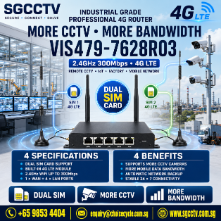
The VIS479-7628R03 4G Industrial LTE Router is designed for CCTV surveillance, remote monitoring, IoT, construction sites, temporary installations, factories, warehouses and locations where conventional fibre broadband or fixed Internet connections are unavailable or impractical.
With an integrated 4G LTE modem, 2.4GHz Wi-Fi up to 300Mbps, 1 WAN + 4 LAN Ethernet ports and industrial-oriented construction, the VIS479-7628R03 provides a practical method of bringing Internet connectivity to remote CCTV cameras, NVRs, network switches and other IP devices using a compatible mobile SIM service.
For applications requiring greater cellular redundancy and secure remote networking, the VIS477-SR520 Dual SIM 4G Industrial Router provides Dual SIM capability, VPN functions and dual Ethernet connectivity, making it suitable for more critical remote CCTV and industrial network applications.
VIS479-7628R03 Key Specifications
- Model: VIS479-7628R03
- Type: 4G Industrial LTE Router
- Cellular: 4G LTE
- Wi-Fi: 2.4GHz
- Wireless Standard: IEEE 802.11b/g/n
- Maximum Wi-Fi Rate: 300Mbps
- Wi-Fi: 2 × 2 MIMO
- CPU: MT7628
- Memory: 64MB DDR
- Flash: 8MB
- Ethernet WAN: 1 × 10/100Mbps
- Ethernet LAN: 4 × 10/100Mbps
- 4G Modem Interface: Mini PCI-E
- Power: 12VDC / 1A
- Reset Button: Factory Default Reset
- Industrial Design
- Suitable for CCTV & Remote Networking
VIS477-SR520 Dual SIM 4G VPN Router
For more demanding installations, the VIS477-SR520 provides a different feature set.
Key specifications include:
- Dual SIM 4G Router
- Industrial-Grade 4G Module
- VPN Networking
- 2 × 10/100Mbps Ethernet Ports
- LAN1 Configurable as WAN
- Optional WLAN
- 64MB Memory
- 16MB Flash, Expandable to 32MB
- 12VDC / 1A
- IP30 Protection
- DIN-Rail Installation
- Desktop Installation
- SPI Firewall
- DoS Protection
- Access Control Lists
- URL Filtering
- Port Mapping
- IP-MAC Binding
4G SIM Card Internet for CCTV
One of the most useful applications for an industrial 4G router is providing Internet connectivity where there is no Singtel, StarHub or M1 fixed fibre broadband connection.
A typical system can be:
4G SIM Card → Industrial Router → PoE Switch → CCTV Cameras
or:
4G SIM Card → Industrial Router → NVR → CCTV Network
This makes 4G networking particularly useful for temporary and remote surveillance locations.
CCTV Remote Viewing Without Fibre Broadband
Installing CCTV in a remote location traditionally requires a fixed Internet connection for remote access.
A compatible 4G router can provide an alternative.
Applications can include:
- Construction Site CCTV
- Temporary Event CCTV
- Marine & Remote Sites
- Warehouse CCTV
- Outdoor CCTV
- Remote Guardhouse
- Solar CCTV Systems
- Farm Monitoring
- Industrial Sites
- Temporary Offices
- Mobile Surveillance
- Remote Equipment Monitoring
Insert a compatible SIM card with an appropriate mobile data plan and configure the router according to the network requirements.
2.4GHz 300Mbps Wi-Fi
The VIS479-7628R03 supports IEEE 802.11b/g/n 2.4GHz Wi-Fi with a theoretical wireless data rate of up to 300Mbps.
2.4GHz Wi-Fi is useful for applications where coverage and compatibility are more important than extremely high wireless throughput.
It can provide wireless connectivity for compatible:
- IP Cameras
- Laptops
- Tablets
- CCTV Service Computers
- IoT Equipment
- Network Devices
Actual Internet speed depends primarily on the 4G network, SIM plan, cellular signal strength, congestion and network operator.
1 WAN + 4 LAN Ports
The VIS479-7628R03 provides:
1 × 10/100Mbps WAN
plus
4 × 10/100Mbps LAN
This allows multiple wired network devices to be connected directly to the router.
For CCTV applications, the LAN connection can connect to a PoE switch, NVR or other network infrastructure.
Dual SIM for Higher Network Availability
For critical installations, the VIS477-SR520 Dual SIM model can provide greater flexibility than a basic single cellular connection.
Dual SIM capability can be useful when two mobile services are available.
For example:
SIM 1 – Primary Mobile Network
SIM 2 – Secondary Mobile Network
This architecture can improve resilience where continuous connectivity is important, subject to the router’s configured failover behaviour and mobile network availability.
VPN for Secure Remote Connectivity
The VIS477-SR520 combines 4G networking with VPN technology.
VPN connectivity can be useful for linking remote CCTV or industrial networks to:
- Headquarters
- Security Command Centre
- Remote Server
- Corporate Network
- Network Management System
A typical architecture can be:
Remote CCTV → PoE Switch → VIS477-SR520 → 4G Network → VPN → Headquarters
This can provide a more controlled network architecture than simply exposing CCTV equipment directly to the public Internet.
Firewall & Network Security
The VIS477-SR520 includes security functions such as:
- Stateful Packet Inspection
- DoS Attack Protection
- Access Control Lists
- URL Filtering
- Port Mapping
- Virtual IP Mapping
- IP-MAC Binding
For CCTV installations, cybersecurity should be considered together with physical security.
Avoid unnecessary open Internet ports wherever possible.
Industrial CCTV Applications
Industrial routers are particularly useful where normal broadband infrastructure is difficult to deploy.
Typical applications include:
- Construction Sites
- Factories
- Warehouses
- Marine Applications
- Remote Facilities
- Temporary Events
- Outdoor CCTV
- Solar CCTV
- Guardhouses
- Car Parks
- Logistics Yards
- Mobile CCTV
- Industrial IoT
- Remote Equipment
- Temporary Security Systems
4G Router + Solar CCTV
A 4G industrial router can also form part of an off-grid surveillance solution.
A typical configuration is:
Solar Panel → Battery → Power Controller → 4G Router + PoE Switch + CCTV Camera
This can provide surveillance at locations where both mains electricity and fixed broadband are unavailable.
Correct power-consumption and battery-runtime calculations are essential for reliable 24/7 operation.
4G Router for NVR Remote Viewing
A 4G router can provide remote network connectivity for compatible NVR systems.
Possible applications include:
- HIKVISION Hik-Connect
- DAHUA DMSS
- HANWHA Wisenet
- Remote NVR Access
- Remote CCTV Maintenance
- Alarm Notifications
- Mobile CCTV Monitoring
Actual performance depends on cellular upload speed, camera bitrate, number of simultaneous streams and mobile-data allowance.
Important: 4G Data Usage for CCTV
CCTV can consume significant mobile data when video is continuously transmitted remotely.
Data usage depends on:
- Camera Resolution
- Bitrate
- H.264 / H.265 Compression
- Frames Per Second
- Number of Cameras
- Viewing Duration
- Main Stream / Sub Stream
- Continuous Cloud Upload
For remote viewing, using a lower-bitrate sub-stream can substantially reduce mobile-data consumption.
4G 5G Industrial Router VIS479-7628R03 2.4G 300Mbps Singapore IMDA Approved VIS477-SR520 DUAL SIM CARD VPN 4G Sim Card Router
CCTV & Industrial Router Troubleshooting Singapore
Common problems include:
- SIM Card Not Detected
- No 4G Connection
- Weak Cellular Signal
- Router Offline
- CCTV Remote Viewing Offline
- NVR Cannot Connect to Internet
- Wi-Fi Connection Failure
- LAN Port Failure
- VPN Connection Failure
- Slow CCTV Video
- Intermittent Network
- SIM Data Exhausted
- Incorrect APN
- Firewall Configuration
- IP Address Conflict
A proper diagnosis should check:
SIM → Cellular Signal → Router → LAN/Wi-Fi → Switch → NVR/Camera → Remote Platform
SGCCTV Industrial Router & CCTV Solutions
SGCCTV – Choicecycle CCTV Pte Ltd provides:
- 4G Industrial Routers
- Dual SIM Routers
- VPN Routers
- 5G Industrial Routers
- CCTV Remote Monitoring
- SIM Card CCTV Solutions
- Solar CCTV Systems
- Wireless CCTV
- Wi-Fi Bridge
- PoE Switches
- NVR Systems
- Network Configuration
- VPN Configuration
- Server Rack Installation
- Router Troubleshooting
- CCTV Repair & Replacement
Website: https://sgcctv.biz
Email: enquiry@choicecycle.com.sg
WhatsApp: +65 98534404
4G 5G Industrial Router VIS479-7628R03 2.4G 300Mbps Singapore IMDA Approved VIS477-SR520 DUAL SIM CARD VPN 4G Sim Card Router
Frequently Asked Questions
1. What is the VIS479-7628R03?
The VIS479-7628R03 is an industrial 4G LTE router with 2.4GHz Wi-Fi up to 300Mbps, four LAN ports and one WAN port.
2. Is VIS479-7628R03 a 5G router?
Based on the available product specifications, no. It is documented as a 4G Industrial LTE Router. For genuine 5G applications, select a dedicated 5G industrial router.
3. What Wi-Fi speed does VIS479-7628R03 support?
It supports 2.4GHz 802.11b/g/n Wi-Fi with 2×2 MIMO and up to 300Mbps theoretical wireless rate.
4. How many Ethernet ports does it have?
The VIS479-7628R03 provides 4 × 10/100Mbps LAN ports plus 1 × 10/100Mbps WAN port.
5. What is VIS477-SR520?
The VIS477-SR520 is a more advanced Dual SIM industrial 4G router with VPN functionality and two Ethernet ports.
6. Why use Dual SIM for CCTV?
Dual SIM can provide an additional cellular-network option for applications where network availability is important, subject to the router configuration and coverage of each mobile operator.
7. Can I use a 4G router for remote CCTV viewing?
Yes. A properly configured 4G router can provide Internet connectivity for compatible IP cameras and NVR remote-viewing systems.
8. Can the router connect a CCTV system to headquarters through VPN?
The VIS477-SR520 supports VPN functionality and can be used in a properly designed secure remote-network architecture.
9. Is an industrial 4G router suitable for construction or temporary CCTV?
Yes. Cellular routers are particularly useful for construction sites, temporary events, remote sites and other locations without convenient fixed broadband.
10. Does SGCCTV provide 4G/5G router and CCTV installation?
Yes. SGCCTV provides industrial routers, SIM-card CCTV solutions, VPN configuration, wireless networking, PoE switching, CCTV installation, troubleshooting and remote-monitoring solutions in Singapore.
4G 5G Industrial Router VIS479-7628R03 2.4G 300Mbps Singapore IMDA Approved VIS477-SR520 DUAL SIM CARD VPN 4G Sim Card Router
#4GRouter #IndustrialRouter #4GLTE #SIMCardRouter #DualSIMRouter #VPNRouter #VIS4797628R03 #VIS477SR520 #RemoteCCTV #CCTVRouter #IndustrialCCTV #CCTVSingapore #SecuritySystem #SGCCTV #Choicecycle
The VIS479-7628R03 specifications—MT7628, 64MB DDR, 2.4GHz 300Mbps, 4 LAN + 1 WAN and 4G LTE—are independently listed by Singapore suppliers. (JHU TECH) The VIS477-SR520 is separately specified as Dual SIM 4G, VPN-capable, two-Ethernet-port, IP30 and DIN-rail/desktop capable. (viskou.sg)
CHOICECYCLE CCTV offer the best 4G 5G Industrial Router VIS479-7628R03 2.4G 300Mbps Singapore IMDA Approved VIS477-SR520 DUAL SIM CARD VPN 4G Sim Card Router.
The 4G/5G Industrial Router VIS479-7628R03 and VIS477-SR520 (DUAL SIM, VPN, 4G SIM Card Router) are advanced industrial routers designed for reliable wireless communication, offering high-speed connectivity with robust features for various industrial applications. Here’s a breakdown of their features, functions, benefits, and advantages:
Features of VIS479-7628R03 (4G/5G Industrial Router):
- 4G/5G Connectivity:
- Supports 4G and 5G networks for high-speed wireless internet connectivity, suitable for industrial applications requiring real-time data transmission.
- 300 Mbps Data Rate:
- Delivers speeds of up to 300 Mbps on the 2.4 GHz WiFi band, ensuring fast internet for multiple connected devices.
- Dual SIM Card Slots:
- Allows the use of dual SIM cards to provide redundancy and failover protection. If one network fails, the router automatically switches to the second SIM card, ensuring continuous connectivity.
- VPN Support:
- Provides built-in VPN (Virtual Private Network) functionality to establish secure communication channels over the internet, essential for industrial applications requiring data encryption.
- Rugged and Industrial-Grade Design:
- Designed for use in harsh environments, the router is built with an industrial-grade enclosure that can withstand extreme temperatures, humidity, and dust.
- IMDA Approved:
- Approved by IMDA (Infocomm Media Development Authority) in Singapore, ensuring compliance with local regulatory standards for telecommunications equipment.
- Multiple Network Protocols:
- Supports various networking protocols such as PPPoE, Static IP, DHCP, and NAT, providing flexibility in network setup and integration.
- WAN Failover:
- Offers WAN failover capabilities, switching between SIM cards or Ethernet WAN to ensure uptime and reliability in the event of a network outage.
- 2.4GHz WiFi:
- Includes built-in 2.4GHz WiFi for local wireless connectivity, allowing multiple devices to connect to the router within the network.
- Multiple Interfaces:
- Comes with Ethernet ports, SIM card slots, USB ports, and external antenna connectors, offering flexible connectivity options for various industrial applications.
How to setup configure a 4G Router?
SIM Card → 4G Router → LAN/PoE Switch → NVR/IP Cameras → Internet/Remote Viewing


1. Install the SIM card
Power OFF the router first. Insert an activated 4G SIM card into SIM 1. If it is a Dual-SIM router, SIM 2 can be used as a secondary connection/failover SIM.
Before installation, confirm the SIM has an active data plan and preferably disable the SIM PIN using a phone. Install the 4G/LTE antennas before powering up the router.
2. Connect your computer
Connect your laptop directly to a LAN port on the 4G router:
Laptop → LAN Cable → 4G Router LAN Port
Set the laptop to Obtain an IP address automatically (DHCP).
Do not initially connect the router to your existing company network. Configure it independently first to avoid IP-address conflicts.
3. Find the router’s IP address
Check the router label/manual for its default management address. Common examples are:
192.168.1.1 or 192.168.0.1
These are examples only—the actual address depends on the router.
In Windows, you can also open Command Prompt and run: ipconfig
Look for:
Default Gateway
For example:
Default Gateway . . . : 192.168.1.1
Enter that address in your browser.
4. Login to the router
Enter the administrator username and password shown on the router label or supplied documentation.
After your first login, change the default administrator password immediately.
A good configuration would use a unique strong password rather than leaving the factory credentials active.
5. Configure the 4G/LTE connection
Go to a menu normally called:
Network → Cellular / LTE / 4G / Mobile Network
Configure:
SIM: SIM 1
Network Mode: Auto / 4G LTE preferred
APN: According to the SIM provider
Authentication: Auto unless the carrier specifies otherwise
Username/Password: Usually blank unless required
For Singapore SIM cards, obtain the correct APN from your specific Singtel, StarHub, M1 or other IoT/M2M SIM provider rather than guessing it.
Save and apply the configuration.
6. Check whether 4G is connected
Open the router’s Status page.
You want to see something similar to:
SIM: Ready
Network: LTE / 4G
Connection: Connected
IP Address: Assigned
Signal: Good
Then connect your laptop through the router and test normal Internet access.
If there is no Internet, troubleshoot in this order:
SIM → APN → Signal → Antenna → Data Plan → Router Configuration
7. Configure the LAN network
Next configure the router’s internal LAN.
For a dedicated CCTV network, for example:
4G Router: 192.168.50.1
Subnet: 255.255.255.0
DHCP Range: 192.168.50.100 – 192.168.50.200
You could then assign static addresses such as:
| Equipment | Example IP |
|---|---|
| 4G Router | 192.168.50.1 |
| NVR | 192.168.50.10 |
| PoE Switch | 192.168.50.20 |
| Camera 1 | 192.168.50.101 |
| Camera 2 | 192.168.50.102 |
| Camera 3 | 192.168.50.103 |
The important point is that all devices use a deliberate IP addressing plan and there are no duplicate IP addresses.
8. Connect the CCTV equipment
For an NVR-based system:
4G SIM → 4G Router → PoE Switch → IP Cameras
and:
NVR → PoE/Network Switch
For a small installation, the NVR can also connect directly to one of the router’s LAN ports.
The NVR network configuration could be:
IP: 192.168.50.10
Subnet: 255.255.255.0
Gateway: 192.168.50.1
DNS: Router/carrier DNS or an appropriate DNS service
The Gateway is critical. Without the correct gateway, the NVR may work locally but remain offline from the Internet.
9. Configure HIKVISION remote viewing
For a HIKVISION NVR, normally use Hik-Connect rather than exposing the NVR directly to the public Internet.
On the NVR:
Configuration → Network → Advanced Settings → Platform Access
Enable:
Hik-Connect
The status should eventually show:
Online
Then add the NVR to the Hik-Connect mobile app using its QR code/serial-number workflow.
This approach is particularly useful on 4G networks because many mobile operators use CGNAT, meaning the router may not receive a normal public IPv4 address.
10. Do not unnecessarily open CCTV ports
Avoid automatically configuring port forwarding such as:
HTTP 80 → Internet
RTSP 554 → Internet
Server 8000 → Internet
Directly exposing cameras, NVRs or router management interfaces increases the attack surface.
For business/industrial applications, I would prefer:
4G Router → VPN → Company Firewall/HQ Network
or a properly configured vendor platform such as Hik-Connect.
Dual-SIM setup
If your industrial router supports two SIM cards, configure:
SIM 1 = Primary
SIM 2 = Backup
Then enable a feature called something similar to:
Failover / Link Backup / SIM Switching
A sensible logic is:
SIM 1 Internet working → Stay on SIM 1
SIM 1 fails → Switch to SIM 2
SIM 1 recovers → Return according to configured policy
For important CCTV installations, consider using different mobile operators for SIM 1 and SIM 2. Two SIM cards on the same carrier may provide less redundancy during a carrier outage.
Recommended CCTV configuration
For a remote site, I would build it like this:
4G/5G Antenna
↓
Industrial Dual-SIM Router
↓
Managed PoE Switch
↓
HIKVISION IP Cameras + NVR
↓
VPN / Hik-Connect
↓
Singapore HQ / Security Command Centre
For security, also change all factory passwords, disable unused services, disable unnecessary WAN administration, update firmware, use VPN where practical, and avoid unnecessary port forwarding.
For your VIS479-7628R03 or VIS477-SR520, I can also give you the exact step-by-step configuration for SIM, APN, LAN IP, Dual-SIM failover, VPN and HIKVISION NVR/Hik-Connect, rather than the generic procedure above.
4G Industrial Router VIS479-7628R03 $150.00 || 2.4G 300Mbps 4G LTE
4G Industrial Router VIS477-SR520 Dual SIM 4G Router $380.00 || Dual Ethernet Ports Dual Sim
4G Industrial Router VIS553-SR500 VPN Dual Power Redundancy $580.00 ||
4G Industrial Router VPN VIS552-SR600 $780.00
4G Industrial Router VIS552-SV900 VPN VEHICLE GIGABIT $880.00 ||
4G 5G Industrial Router VIS548-SR800 Dual Power Redundancy Dual SIM 4G Router $1180.00
4G 5G Industrial Router VIS549-SR800 Dual Power Redundancy Dual SIM 4G Router $1380.00
5G Industrial Router VIS550-SR810 GIGABIT IP68 Dual Power Redundancy Dual SIM 4G Router $1380.00
5G Industrial Router VIS551-SR830 Gigabit LAN Wan 512Ram Dual Power Redundancy $1380.00
4G 5G Industrial Router VIS479-7628R03 2.4G 300Mbps Singapore IMDA Approved VIS477-SR520 DUAL SIM CARD VPN 4G Sim Card Router
02 – POWER SUPPLY 100-240VAC, OUTPUT 12VDC, 1.5A – AIRGATE-4G (8816060122)
02 – ANTENNA 2G/3G/4G MAGNETICA 3 M (8816060116)
02 – AIRGATE-4G-WI-FI (Antennas included: one 4G and two Wi-Fi – 3m length) (8816060040)
- Surveillance Systems: The switch is ideal for powering and connecting IP cameras in surveillance systems, whether indoors or outdoors. Its long-range PoE+ capabilities allow for flexible placement of cameras, even in areas where power outlets are not easily accessible.
- Security Installations: In security setups such as access control systems or security checkpoints, the switch can power and connect various PoE-enabled devices such as card readers, biometric scanners, and access points, ensuring seamless communication and operation.
- Industrial Environments: Industrial settings often require robust networking solutions that can withstand harsh conditions. The D-Link DES-F1010P-E switch, with its durable design and PoE capabilities, can be used in industrial environments for connecting surveillance cameras, sensors, and other devices without the need for separate power sources.
- Campus or Large-Scale Deployments: For campuses, office buildings, or large-scale facilities, where a comprehensive surveillance system is needed, this switch can serve as a central hub for powering and connecting multiple IP cameras over long distances, providing extensive coverage and security.
- Remote or Outdoor Locations: Its long-range PoE+ feature makes it suitable for remote locations or outdoor installations where running power cables over long distances is impractical or cost-prohibitive. This could include outdoor surveillance in parking lots, construction sites, or remote infrastructure sites.
- Retail Stores: In retail environments, the switch can power and connect IP cameras for surveillance purposes, as well as other PoE-enabled devices such as POS systems, ensuring both security and operational efficiency.
- Healthcare Facilities: In hospitals or healthcare facilities, the switch can be used to power and connect IP cameras for monitoring sensitive areas such as patient rooms, corridors, and entry points, enhancing overall security and patient safety.
In summary, AIRGATE 4G is versatile and can be deployed in a variety of environments where reliable power and data connectivity are essential, with a particular focus on surveillance applications due to its PoE capabilities and long-range support.
4G 5G Industrial Router VIS479-7628R03 2.4G 300Mbps Singapore IMDA Approved VIS477-SR520 DUAL SIM CARD VPN 4G Sim Card Router


Nunc lacus elit, faucibus ac laoreet sed, dapibus ac mi. Maecenas eu ante a elit tempus fermentum. Aliquam commodo tincidunt semper. Phasellus accumsan, justo ac mollis pharetra, ex dui pharetra nisl, a scelerisque ipsum nulla ac sem. Cras eu risus urna. Duis lorem sapien, congue eget nisl sit amet, rutrum faucibus elit.
Donec accumsan auctor iaculis. Sed suscipit arcu ligula, at egestas magna molestie a. Proin ac ex maximus, ultrices justo eget, sodales orci. Aliquam egestas libero ac turpis pharetra, in vehicula lacus scelerisque. Vestibulum ut sem laoreet, feugiat tellus at, hendrerit arcu.
Nunc lacus elit, faucibus ac laoreet sed, dapibus ac mi. Maecenas eu ante a elit tempus fermentum. Aliquam commodo tincidunt semper. Phasellus accumsan, justo ac mollis pharetra, ex dui pharetra nisl, a scelerisque ipsum nulla ac sem. Cras eu risus urna. Duis lorem sapien, congue eget nisl sit amet, rutrum faucibus elit.