



HIKVISION Face Recognition DS-K1T342MFX Security System Supplier TERMINAL ACCESS CONTROL CONTACTLESS READER OFFICE SHOP STORE
in stock
$420.00
HIKVISION SINGAPORE OFFICIAL PLANTINUM PARTNER
Supply and Maintenance HIKVISION CCTV IP Cameras, NVR, Turbo HD TVI Cameras, DVR, PTZ Cameras,
Access Control System, Video Intercom.
Sim Lim Square 02-81 10am-7pm Daily.
Whatsapp Enquiry Project +65 98534404, Technical Support +65 81120788, Site Visit Maintenance +65 81985572.
in stock
HIKVISION Face Recognition DS-K1T342MFX Security System Supplier TERMINAL ACCESS CONTROL CONTACTLESS READER OFFICE SHOP STORE
HIKVISION DS-K1T342MFX Face Recognition Access Control Terminal Singapore
Contactless Facial Recognition Reader for Offices, Shops, Stores and Commercial Security Systems
The HIKVISION DS-K1T342MFX Face Recognition Terminal is a professional contactless access-control reader designed for secure employee and authorised-user entry.
It combines facial recognition, fingerprint verification, M1 card reading and PIN authentication in one compact terminal, making it suitable for offices, retail shops, warehouses, clinics, schools, factories and commercial premises in Singapore.
The DS-K1T342 series uses a 4.3-inch touchscreen, dual camera arrangement and fast face-recognition technology. Hikvision specifies facial authentication in under 0.2 seconds per user, recognition accuracy above 99%, and an operating recognition distance of approximately 0.3 to 1.5 metres. (Hikvision)
Model note: Hikvision model suffixes can indicate different combinations of card, fingerprint, Wi-Fi and PoE functions. Confirm the complete product label and regional datasheet for the exact DS-K1T342MFX variant before quotation.
Key Features of HIKVISION DS-K1T342MFX
The terminal provides a flexible combination of identity-verification methods:
- Facial recognition
- Fingerprint authentication
- M1 RFID card reading
- PIN or password authentication
- Contactless door access
- Mask-compatible face recognition
- Face anti-spoofing
- Touchscreen operation
- Network-based management
- Door-lock control
- Exit-button connection
- Door-contact input
- RS-485 and Wiegand integration
The related DS-K1T342 specification supports up to 1,500 users and faces, 3,000 fingerprints, 3,000 cards and 150,000 events. (Hikvision)
Contactless Face Recognition Access
Traditional access cards can be lost, shared or forgotten. A facial-recognition terminal allows an authorised person’s face to operate as the access credential.
A typical access sequence is:
User approaches terminal → face is detected → identity is verified → door is released → event is recorded
This provides a convenient, contactless method for controlling staff and authorised-user access.
Facial recognition is particularly useful for locations where employees frequently enter while carrying equipment, documents or merchandise.
Fast Recognition in Under 0.2 Seconds
Hikvision specifies facial recognition in less than 0.2 seconds per user, helping reduce delays at busy entrances. (Hikvision)
Fast verification is useful for:
- Office staff entrances
- Factory shift changes
- Retail employee access
- Warehouse personnel gates
- School staff areas
- Commercial-building entrances
Actual recognition performance depends on correct installation height, lighting, user enrolment and terminal configuration.
Multiple Authentication Methods
The DS-K1T342MFX can support different authentication workflows according to the organisation’s security requirements.
Face Only
Provides fast, contactless entry for enrolled users.
Fingerprint Only
Uses biometric fingerprint verification where appropriate.
M1 Card Only
Allows conventional 13.56MHz access-card authentication.
Face and Card
Adds a second credential for higher-security locations.
Face and Fingerprint
Provides multi-factor biometric authentication where configured and supported.
The selected authentication mode should balance security, convenience and operational requirements.
Built-In M1 Card Reader
The terminal includes an M1 card-reading module operating at 13.56MHz.
Hikvision specifies a typical reading distance of up to approximately 5cm for a normal card, depending on card construction and installation conditions. (Hikvision)
This allows organisations to continue using card credentials alongside facial or fingerprint authentication.
Fingerprint Access Control
The fingerprint-enabled version supports up to 3,000 fingerprints, with recognition specified in under one second. (Hikvision)
Fingerprint verification can be used as:
- The primary credential
- A backup when facial verification is unavailable
- Part of a combined authentication rule
- An attendance transaction method
Fingerprints should be enrolled clearly and managed according to the organisation’s data-protection policies.
Face Anti-Spoofing Protection
Professional face-recognition access control should distinguish a live person from an attempted presentation using a photograph or display.
The Hikvision DS-K1T342 platform supports face anti-spoofing, helping strengthen identity authentication. (Hikvision)
No biometric technology should be treated as infallible. High-security doors may still require multi-factor authentication or controller-side security design.
Face Recognition with Mask Support
The terminal supports recognition of users wearing face masks, subject to enrolment quality, configuration and environmental conditions. (Hikvision)
This may be useful for:
- Clinics
- Laboratories
- Food-processing facilities
- Clean-room entrances
- Industrial sites
- Healthcare environments
4.3-Inch Touchscreen
The terminal features a 4.3-inch LCD touchscreen with a specified resolution of 272 × 480. (Hikvision)
The screen provides:
- User prompts
- Authentication status
- Menu navigation
- Enrolment assistance
- Door-access notifications
- Configuration access
Audio prompts can also guide users during authentication.
Door Access Control Integration
The DS-K1T342MFX can form part of a complete single-door access-control system.
A typical installation may include:
Face Terminal → Magnetic Lock or Electric Strike → Exit Button → Door Sensor → Emergency Break Glass → Power Supply
The terminal provides interfaces for:
- Lock control
- Exit button
- Door-contact input
- Tamper detection
- RS-485
- Wiegand
- USB
- Network connection (Hikvision)
Professional installation is important to ensure that the door remains safe, secure and compliant with the intended emergency-release design.
PoE and Door-Lock Power
The related Hikvision kit version supports standard IEEE 802.3at PoE. When powered by a suitable PoE source, the terminal can also provide 12V DC, up to 1A for a compatible door lock, subject to the exact model and power design. (Hikvision)
The complete lock current, cable distance and power budget must be checked before installation. Higher-current magnetic locks may require a separate access-control power supply.
Network and Software Management
The DS-K1T342 platform supports:
- TCP/IP
- ISAPI
- ISUP 5.0
- Web-client configuration
- Compatible Hikvision access-control software
- Event and user management (Hikvision)
Depending on the project, management may be performed through compatible Hikvision software such as HikCentral Access Control or iVMS-4200 access-control modules.
Software compatibility should be confirmed against the current firmware and regional product version.
Time Attendance Applications
Authentication transactions can also support employee time-attendance workflows when connected to compatible attendance software.
A typical workflow is:
Employee authentication → transaction recorded → attendance software processes clocking data → report generated
Possible attendance records may include:
- Clock-in
- Clock-out
- Late arrival
- Early departure
- Attendance exceptions
- Overtime records
- Department summaries
Attendance calculations depend on the configured shifts, schedules and software platform.
Ideal Applications in Singapore
The HIKVISION DS-K1T342MFX is suitable for:
- Corporate offices
- Retail shops
- Convenience stores
- Warehouses
- Factories
- Clinics
- Schools
- Tuition centres
- Laboratories
- Server rooms
- Staff entrances
- Restricted storerooms
- Commercial buildings
- Small and medium businesses
- Employee time-attendance systems
Office, Shop and Store Security
Office Access Control
Control entry to staff areas, management offices, server rooms and restricted departments.
Retail Shop Security
Restrict access to stock rooms, cashier areas, offices and staff-only entrances.
Store and Warehouse Access
Record personnel entering storerooms, loading areas and inventory zones.
Factory Attendance
Use biometric transactions to support shift attendance and controlled employee entry.
Repair and Replacement Singapore
An access terminal may require troubleshooting when users experience:
- Terminal not powering on
- Face not recognised
- Fingerprint verification failure
- Card not detected
- Door not unlocking
- Terminal offline
- Access events not uploading
- Touchscreen not responding
- Incorrect date and time
- Door remaining unlocked
- Communication failure
A professional troubleshooting sequence should check:
Power supply → network connection → user enrolment → authentication settings → lock output → door hardware → management software
The terminal should not be replaced before checking the power supply, cabling, lock, exit button and system configuration.
SGCCTV – Hikvision Access Control Supplier Singapore
SGCCTV provides professional solutions for:
Hikvision Face Recognition | Fingerprint Access Control | RFID Card Access | Time Attendance | Magnetic Locks | Electric Strikes | Exit Buttons | Emergency Break Glass | Door Sensors | Software Configuration | Repair | Replacement | Maintenance
Contact SGCCTV Singapore
Website: sgcctv.biz
Email: enquiry@choicecycle.com.sg
WhatsApp: +65 98534404
10 FAQ – HIKVISION DS-K1T342MFX
1. What is the HIKVISION DS-K1T342MFX?
It is a professional facial-recognition access-control terminal combining contactless face authentication with fingerprint, M1 card and password verification.
2. How fast is its face recognition?
Hikvision specifies facial recognition in under 0.2 seconds per user, with accuracy above 99% under the manufacturer’s stated conditions. (Hikvision)
3. How many faces can it store?
The related DS-K1T342 platform supports up to 1,500 faces and users. Exact capacity should be confirmed for the complete regional model suffix. (Hikvision)
4. Does it support fingerprint authentication?
Yes. The fingerprint version supports up to 3,000 fingerprints, with verification specified in under one second. (Hikvision)
5. Can it read access cards?
Yes. It includes an M1 13.56MHz card reader and supports up to 3,000 cards on the related specification. (Hikvision)
6. Can face and card authentication be used together?
Yes, compatible authentication combinations can be configured according to the terminal, firmware and access-control software settings.
7. Can the terminal control a magnetic lock?
Yes. It includes lock-control, exit-button and door-contact interfaces. The lock power and current requirements must be properly calculated.
8. Can it be used for time attendance?
Yes. Authentication events can support time-attendance reporting when the terminal is connected to compatible Hikvision software and correctly configured.
9. Is it suitable for outdoor installation?
The DS-K1T342 series is generally intended for indoor or sheltered installation. Use a suitable rain cover, enclosure or outdoor-rated terminal where the location is directly exposed to weather.
10. Where can I buy or install HIKVISION DS-K1T342MFX in Singapore?
Contact SGCCTV Singapore for Hikvision facial-recognition terminals, magnetic locks, door-access installation, time-attendance setup, troubleshooting and maintenance.
WhatsApp: +65 98534404
Email: enquiry@choicecycle.com.sg
Website: sgcctv.biz
Recommended SEO Keywords
HIKVISION DS-K1T342MFX Singapore, Hikvision Face Recognition Terminal, Facial Recognition Access Control Singapore, Contactless Door Access Reader, Hikvision Fingerprint Terminal, M1 Card Reader Singapore, Office Access Control Singapore, Shop Door Access System, Store Security System Singapore, Face Recognition Reader Singapore, Biometric Door Access Singapore, Time Attendance Terminal Singapore, Employee Attendance System, Magnetic Lock Installation Singapore, Hikvision Access Control Supplier, Door Access Repair Singapore, Facial Recognition Installation Singapore, Commercial Access Control Singapore, SGCCTV Hikvision Supplier Singapore
CHOICECYCLE CCTV offer the best HIKVISION Face Recognition DS-K1T342MFX Security System Supplier TERMINAL ACCESS CONTROL CONTACTLESS READER OFFICE SHOP STORE.
Features of Hikvision Face Recognition DS-K1T342MFX :
- Facial Recognition Technology: Utilizes advanced facial recognition algorithms for accurate and efficient identification of individuals, enhancing security and access control measures.
- Contactless Reader: Offers contactless authentication, minimizing physical contact and reducing the risk of germ transmission, especially in high-traffic areas like offices, shops, and stores.
- Time Attendance: Integrates with time attendance systems, allowing businesses to track employee attendance and working hours accurately, improving payroll management and workforce efficiency.
- High Accuracy: Provides high accuracy in facial recognition, minimizing false acceptance and rejection rates, ensuring reliable access control and time attendance records.
- Touchscreen Interface: Features a user-friendly touchscreen interface for easy navigation and operation, enhancing user experience and convenience.
- Access Control: Enables access control functionalities, allowing authorized personnel to gain entry to restricted areas while preventing unauthorized access, enhancing security within the premises.
- Data Encryption: Implements data encryption techniques to safeguard sensitive information, ensuring the privacy and security of user data and facial templates.
Functions and Benefits:
- Enhanced Security: Enhances security measures by providing reliable and accurate identification of individuals, preventing unauthorized access to secure areas within offices, shops, and stores.
- Contactless Authentication: Offers a hygienic and convenient access control solution, reducing the risk of germ transmission and promoting a safer environment for employees and customers.
- Time and Attendance Tracking: Streamlines time attendance management processes by automating attendance tracking, reducing administrative overhead, and improving payroll accuracy.
- Improved Efficiency: Enhances operational efficiency by automating access control procedures, minimizing manual intervention, and reducing queuing time for employees and visitors.
- Scalability: Can be easily scaled to accommodate the needs of growing businesses, supporting multiple terminals and integration with existing security systems.
- Compliance: Helps businesses comply with regulatory requirements and industry standards for access control and time attendance management, ensuring adherence to legal and operational standards.
- User Convenience: Provides a seamless and intuitive user experience with its touchscreen interface and fast recognition speed, enhancing user convenience and satisfaction.
Advantages of Hikvision Face Recognition DS-K1T342MFX :
- Advanced Technology: Incorporates state-of-the-art facial recognition technology, offering high accuracy and reliability in access control and time attendance management.
- Contactless Solution: Provides a contactless authentication solution, promoting hygiene and safety in environments where physical contact should be minimized.
- Cost-Effective: Offers a cost-effective access control and time attendance solution, reducing the need for traditional access cards or key fobs and lowering operational costs.
- Integration Capabilities: Integrates seamlessly with existing security systems, time attendance software, and access control platforms, providing compatibility and interoperability.
- Customization Options: Offers customization options to tailor the system to the specific needs and requirements of different businesses, ensuring flexibility and versatility in deployment.
In summary, the Hikvision Face Recognition DS-K1T670MX offers a range of features, functions, and benefits tailored to meet the access control and time attendance management needs of offices, shops, and stores, providing enhanced security, convenience, and efficiency.
- Forced mask wearing alert: If the recognizing face does not wear a mask, the device will prompt a voice reminder. At the same time, the authentication or attendance will be failed
- Face mask wearing alert: If the recognizing face does not wear a mask, the device will prompt a voice reminder. At the same time, the authentication or attendance is valid
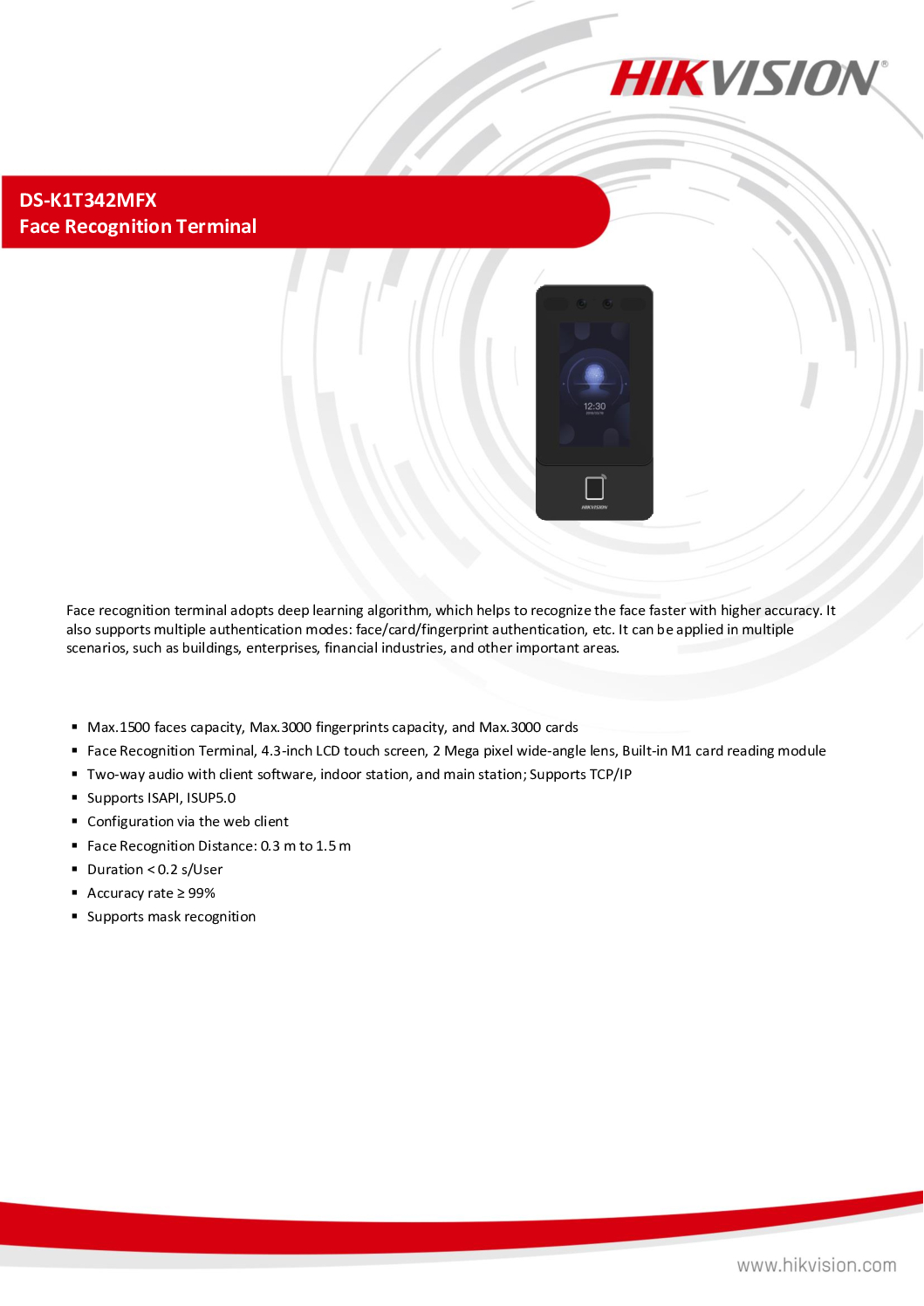
- 7-inch LCD touch screen, 2 Mega pixel wide-angle lens, built-in Mifare card reading module
- Face recognition distance (without face mask): 0.3 m to 3 m, Duration < 0.2 s/User, Accuracy rate ≥ 99%
- Max.6000 faces, Max.6000 cards and Max. 5000 fingerprints
- Two-way audio with client software, indoor station, and main station
- Supports TCP/IP
- Configuration via the web client
- Supports ISAPI and ISUP5.0 protocol
- IP65
HIKVISION Face Recognition DS-K1T342MFX Security System Supplier TERMINAL ACCESS CONTROL CONTACTLESS READER OFFICE SHOP STORE
HIKVISION DS-K1T342MFWX-E1 Face Recognition Terminal works in terms of:
Data collection process
Data transformation into reports
Post-installation / support scope
1) Data Collection Process (Field → Device → System)
- Multi-Modal Data Capture
The device collects identity + transaction events through multiple authentication methods:
- Face recognition (AI deep learning, ≤0.2s, ~99% accuracy)
- Fingerprint
- RFID card (M1)
- PIN / QR (optional depending config)
Captured data includes:
- User ID / Employee ID
- Timestamp (check-in / check-out)
- Authentication type (Face / Card / FP / PIN)
- Access result (Granted / Denied)
- Door status (open/forced/timeout)
👉 The terminal can store up to 150,000 event logs locally before sync (hikvision.com)
- Edge Processing (On-device AI)
- Face images are processed locally using embedded Linux + AI algorithm
- Features extracted (not raw image) → converted into face templates
- Anti-spoofing ensures real human detection
This means:
- Faster authentication
- Reduced network dependency
- Privacy control (no need to send raw images constantly)
- Data Transmission (Device → Server / Platform)
Three main architectures:
- Standalone Mode
- Data stored locally in terminal
- Manual export via USB or web client
- LAN / Server-Based Mode (Most Common)
- Device connected via:
- TCP/IP / LAN
- WiFi
- Sends logs to:
- Hikvision iVMS-4200 / HikCentral
- Third-party server (via API)
- API / Integration Mode
- Uses:
- ISAPI / ISUP 5.0 protocols (hikvision.com)
- Push methods:
- HTTP POST (event push)
- SDK polling
Real-world flow: User scans face → Event generated → Sent via LAN → Server database → Reporting engine
2) Data Transformation → Reports
- Data Structuring (Backend)
Once received by software (e.g. HikCentral / iVMS):
Raw logs → Structured database:
- Employee table
- Attendance logs
- Access control logs
- Door events
- Processing Logic (Rules Engine)
Typical business rules applied: Attendance System
- First IN = Check-in
- Last OUT = Check-out
- Late / Early leave calculation
- Overtime rules
Access Control
- Access group permissions
- Time zones (e.g. office hours only)
- Anti-passback logic
- Report Generation
Standard reports include: Attendance Reports
- Daily / Monthly timesheet
- Late / absence summary
- Overtime hours
- Access Logs
- Door access history
- Denied attempts
- Security audit trail
- Real-Time Monitoring
- Live dashboard
- Event alerts (forced door, invalid access)
- Export / Integration
- Excel / CSV export
- API integration to:
- HR systems (SAP, Odoo, custom ERP)
- Payroll systems
👉 In practice, integration requires a middleware service or API bridge (common industry setup)
3) Post Setup / Installation Support Scope
From a professional system integrator standpoint (important for your business):
- Basic Commissioning Support
- Device configuration (IP, WiFi, firmware)
- User enrollment (face / card / FP)
- Door lock integration (relay wiring, exit button)
- Time sync + timezone setup
- Software Setup
- Install iVMS-4200 / HikCentral
- Create departments / user database
- Define access groups & schedules
- Setup attendance rules
- Network & Integration Support
- Port configuration / VLAN (if enterprise)
- API integration to HR / payroll
- Cloud / remote access setup
- Training & Handover
- Admin training (HR / Security team)
- Report generation workflow
- Troubleshooting basics
- Maintenance & SLA Scope
Preventive Maintenance
- Firmware updates
- Database backup
- Device health check
Corrective Support
- Device offline troubleshooting
- Face recognition errors / recalibration
- Log sync failure debugging
On-site / Remote Support
- Remote login (VPN / TeamViewer)
- On-site repair / replacement
- Common Real-World Issues (You Should Plan For)
- Network instability → missing logs
- Duplicate transactions → bad attendance reports
- Poor face capture angle / lighting
- Database overload (large deployments)
- Integration failure with HR system
Practical Summary (System Architecture View)
[User Face/Card]
↓
[DS-K1T342 Terminal]
↓ (TCP/IP / WiFi)
[Server / Software]
↓
[Database Processing]
↓
[Reports / HR / Payroll]
HIKVISION CCTV CAMERA PTZ
HIKVISION DS-2CE70DF0T-MF ColorVu Dome || Hikvision DS-2CE16D1T-IT3 2MP 1080P Bullet ||
HIKVISION 4MP DS-2CD1343G2-I(UF) || Hikvision 4MP POE DOME Camera DS-2CD1143G2-LIU ||
HIKVISION SOLAR-POWER 4MP DS-2XS2T47G1-LDH/4G || Hikvision POE Bullet Camera DS-2CD2T23G0-I5-I8 ||
Hikvision POE Bullet Camera DS-2CD2023G2-I || HIKVISION 4MP Motorized Varifocal DS-2XC6645G0 ||
HIKVISION 4MP Motorized Varifocal DS-2CD2643G2-IZS || HIKVISION LICENSE PLATE CAMERA DS-TCG405-E ||
Marine Grade CCTV SINGAPORE HIKVISION DS-2XE6222F-IS || HIKVISION CCTV CAMERA BRACKET DS-1260ZJ ||
HIKVISION CCTV DVR NVR
CCTV NVR Hikvision DS-7604NI-Q1/4P || HIKVISION DVR eSSD iDS-E04HQHI-B ||
HIKVISION POE SSD NVR DS-7804N-SSD || HIKVISION 8CH Mobile NVR AE-MH0408||
HIKVISION 16CH Mobile NVR DS-MP7608HN/GLF/WI58 || HIKVISION 32CH NVR Video Recorder DS-MP3516-RH ||
CCTV NVR Hikvision DS-9632NI-M8 DS-9664NI-M8 ||
HIKVISION ACCESS CONTROL VIDEO INTERCOM
HIKVISION Facial Recognition DS-K1T321MFWX || HIKVISION Facial Recognition Thermal DS-K1T341BMI-T ||
HIKVISION TOP SECURITY IRIS-EYE READER DS-K1T981MF || HIKVISION OUTDOOR READER DS-K1T502DBFWX-C ||
HIKVISION IP INTERCOM DS-KD8003-IME1 || HIKVISION IP INTERCOM DS-KIS703-P || HIKVISION IP INTERCOM DS-KIS603-P ||
HIKVISION SWITCH SOLUTIONS
HIKVISION 4-PORTS POE SWITCH DS-3E1105P-E || HIKVISION 24-Port Gigabit Switch DS-3E1526P-SI ||
HIKVISION ALARM AX-PRO Magnet Detector || HIKVISION Professional Alarm DS-PHA64-LP ||
HIKVISION SFP Module HK-SFP+-10G-20-1270 || HIKVISION SFP Module HK-SFP+-10G-20-1330 ||
Hikvision Industry Monitor DS-D6065UN || HIKVISION HikCentral Professional 32CH ||
HIKVISION Virtual Patrolling HikCentral || Interactive Whiteboard Hikvision DS-D5B65RB-D ||
Hikvision Video Decoder DS-6901UDI || Hikvision Video Encoder DS-6700HWI ||
1. Collection from SGCCTV Choicecycle Sim Lim Square CCTV SPECIALIST #02-81 11am~8pm. Whatsapp 98534404 for stock level before visit. 2. Payment by PayNow 201207820G
Face Recognition DS-K1T342MFX Security System Supplier FACIAL RECOGNITION TERMINAL ACCESS CONTROL TIME ATTENDANCE CONTACTLESS READER OFFICE SHOP STORE
Several users and industries can benefit from deploying the Hikvision Face Recognition DS-K1T671MF for access control, time attendance management, and security purposes in office, shop, and store environments. Here are some examples of potential users:
- Corporate Offices: Large corporations and multinational companies can utilize the Hikvision Face Recognition system to enhance security and streamline time attendance management for their employees.
- Retail Stores: Retailers, including supermarkets, boutiques, and department stores, can deploy the Hikvision Face Recognition system to control access to restricted areas, such as stockrooms and cash offices, and track employee attendance accurately.
- Small Businesses: Small businesses, such as local shops, convenience stores, and cafes, can benefit from the Hikvision Face Recognition system for access control and time attendance tracking, improving operational efficiency and security.
- Commercial Buildings: Property management companies overseeing commercial buildings and office complexes can deploy the Hikvision Face Recognition system to regulate access to common areas, such as lobbies, elevators, and parking facilities, and monitor tenant attendance.
- Government Offices: Government agencies, municipal offices, and public institutions can utilize the Hikvision Face Recognition system to enhance security measures and track employee attendance for administrative purposes.
- Educational Institutions: Schools, colleges, and universities can deploy the Hikvision Face Recognition system to control access to campus buildings and facilities, monitor student attendance, and enhance campus security.
- Medical Facilities: Hospitals, clinics, and healthcare centers can utilize the Hikvision Face Recognition system to regulate access to sensitive areas, such as patient wards and medical supply rooms, and track staff attendance for compliance and security purposes.
- Manufacturing Facilities: Manufacturing plants and factories can deploy the Hikvision Face Recognition system to control access to production areas, monitor employee attendance, and enhance security measures to protect valuable assets and intellectual property.
- Co-Working Spaces: Co-working spaces and shared office facilities can benefit from the Hikvision Face Recognition system to manage access to communal areas, track member attendance, and ensure a secure and productive working environment.
- Security System Suppliers: Companies specializing in supplying security systems and equipment can offer the Hikvision Face Recognition system to their clients as part of their product portfolio, providing comprehensive access control and time attendance solutions for various industries.
In summary, users across various sectors, including corporate offices, retail stores, small businesses, commercial buildings, government offices, educational institutions, medical facilities, manufacturing facilities, co-working spaces, and security system suppliers, can benefit from deploying the Hikvision Face Recognition DS-K1T671MF for access control, time attendance management, and security enhancement in office, shop, and store environments.
The DS-K1T341CM is a facial recognition terminal designed for access control, time attendance, and contactless reader functionalities. Here are the features, functions, benefits, and advantages of this security system:
Features:
- Facial recognition technology: The system utilizes advanced facial recognition algorithms to accurately identify individuals.
- Access control: It allows authorized individuals to gain access to specific areas based on their facial recognition.
- Time attendance: It can record attendance data based on facial recognition, providing an efficient and reliable way to track employee attendance.
- Contactless reader: The system offers contactless authentication, reducing the risk of spreading germs and enhancing convenience.
- Office, shop, and store integration: The system is suitable for various environments including offices, shops, and stores.
Functions:
- Facial recognition access: Individuals can gain access to secured areas by simply presenting their face to the terminal.
- Time attendance tracking: The system records employee attendance data, including clock-in and clock-out times, using facial recognition.
- Access control management: Administrators can manage access permissions for different individuals and areas through the system’s interface.
- Real-time monitoring: The system provides real-time monitoring of access events, allowing administrators to keep track of who enters and exits specific areas.
- Integration capabilities: It can be integrated with other security systems and software for enhanced functionality and centralized management.
Benefits and Advantages:
- Enhanced security: Facial recognition technology provides a high level of security, as it is difficult to forge or replicate.
- Convenience: Users can access secured areas without the need for physical keys or cards, increasing convenience and reducing the risk of lost credentials.
- Contactless operation: The system’s contactless reader feature reduces the risk of spreading germs, making it suitable for environments where hygiene is important.
- Efficient time attendance tracking: Facial recognition-based time attendance tracking eliminates the need for manual attendance tracking, reducing administrative overhead and potential errors.
- Scalability: The system can be easily scaled to accommodate growing needs, making it suitable for small businesses as well as large enterprises.
- Improved productivity: Automated attendance tracking frees up time for employees and administrators, allowing them to focus on more important tasks.
Overall, the DS-K1T341CM facial recognition terminal offers a secure, convenient, and efficient solution for access control and time attendance management in various environments such as offices, shops, and stores.
System
| Operation System | Linux |
Display
| Dimensions | 7-inch |
| Type | LCD |
| Operation Method | Capacitive touch screen |
Video
| Pixel | 2 MP |
| Lens | 2 |
Audio
| Tone Quality | Noise suppression and echo cancellation |
Network
| Wired Network | 10 M/100 M/ 1000 M self-adaptive |
Interface
| Network Interface | 1 |
| RS-485 | 1 |
| Wiegand | 1 |
| Lock Output | 1 |
| Exit Button | 1 |
| Door Contact Input | 1 |
| IO Input | 1 |
| IO Output | 1 |
| Power Interface | 1 |
Capacity
| Card Capacity | 6000 |
| Face Capacity | 6000 |
| Fingerprint Capacity | 5000 |
| Event Capacity | 50,000 |
Authentication
| Card Type | Mifare 1 card |
| Card Reading Frequency | 13.56MHz |
| Card Reading Distance | 0 to 5 cm |
| Face Recognition Accuracy Rate | ≥ 99% |
| Face Recognition Distance | 0.3 to 3 m (Without face mask) |
| Fingerprint Recognition Duration | ≤ 1 s |
Function
| QR Code Recognition | Support |
| Face Anti-Spoofing | Support |
| Advertisement | Support |
| Audio Prompt | Support |
| Time Synchronization | Support |
HIKVISION Face Recognition DS-K1T342MFX Security System Supplier TERMINAL ACCESS CONTROL CONTACTLESS READER OFFICE SHOP STORE


Nunc lacus elit, faucibus ac laoreet sed, dapibus ac mi. Maecenas eu ante a elit tempus fermentum. Aliquam commodo tincidunt semper. Phasellus accumsan, justo ac mollis pharetra, ex dui pharetra nisl, a scelerisque ipsum nulla ac sem. Cras eu risus urna. Duis lorem sapien, congue eget nisl sit amet, rutrum faucibus elit.
Donec accumsan auctor iaculis. Sed suscipit arcu ligula, at egestas magna molestie a. Proin ac ex maximus, ultrices justo eget, sodales orci. Aliquam egestas libero ac turpis pharetra, in vehicula lacus scelerisque. Vestibulum ut sem laoreet, feugiat tellus at, hendrerit arcu.
Nunc lacus elit, faucibus ac laoreet sed, dapibus ac mi. Maecenas eu ante a elit tempus fermentum. Aliquam commodo tincidunt semper. Phasellus accumsan, justo ac mollis pharetra, ex dui pharetra nisl, a scelerisque ipsum nulla ac sem. Cras eu risus urna. Duis lorem sapien, congue eget nisl sit amet, rutrum faucibus elit.
Related Products
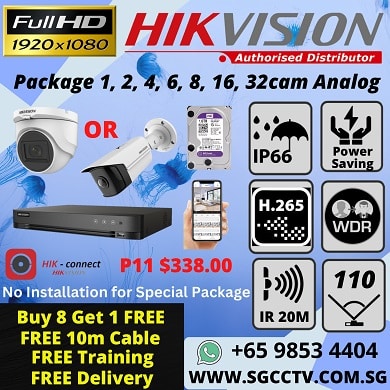
HIKVISION CCTV Camera Package Plug and Play Package for 6 Full HD Camera Installation service
Save27.3%Save $232.00Only$618.00 Original price was: $850.00.$618.00Current price is: $618.00.
Reviews
There are no reviews yet.