


TP-Link OMADA ES210GMP 10-Port Gigabit Managed Switch 8-Port PoE Lifetime Free Cloud No Fees Cloud Centralized Management Singapore
in stock
$225.00
TP-LINK SINGAPORE PARTNER with Service Center
Supply and Maintenance TP-LINK CCTV IP Cameras, NVR, Turbo HD TVI Cameras, DVR, PTZ Cameras,
Access Control System, Video Intercom, Network switches.
Sim Lim Square 02-81 10am-7pm Daily.
Whatsapp Enquiry Project +65 98534404, Technical Support +65 81120788, Site Visit Maintenance +65 81985572.
in stock
TP-Link OMADA ES210GMP 10-Port Gigabit Managed Switch 8-Port PoE Lifetime Free Cloud No Fees Cloud Centralized Management Singapore
TP-Link Omada ES210GMP 10-Port Gigabit Managed PoE Switch – Lifetime Free Cloud Management in Singapore
TP-Link Omada ES210GMP Singapore | 10-Port Gigabit Managed PoE+ Switch, 8-Port PoE, SFP, Lifetime Free Cloud & Centralized Management
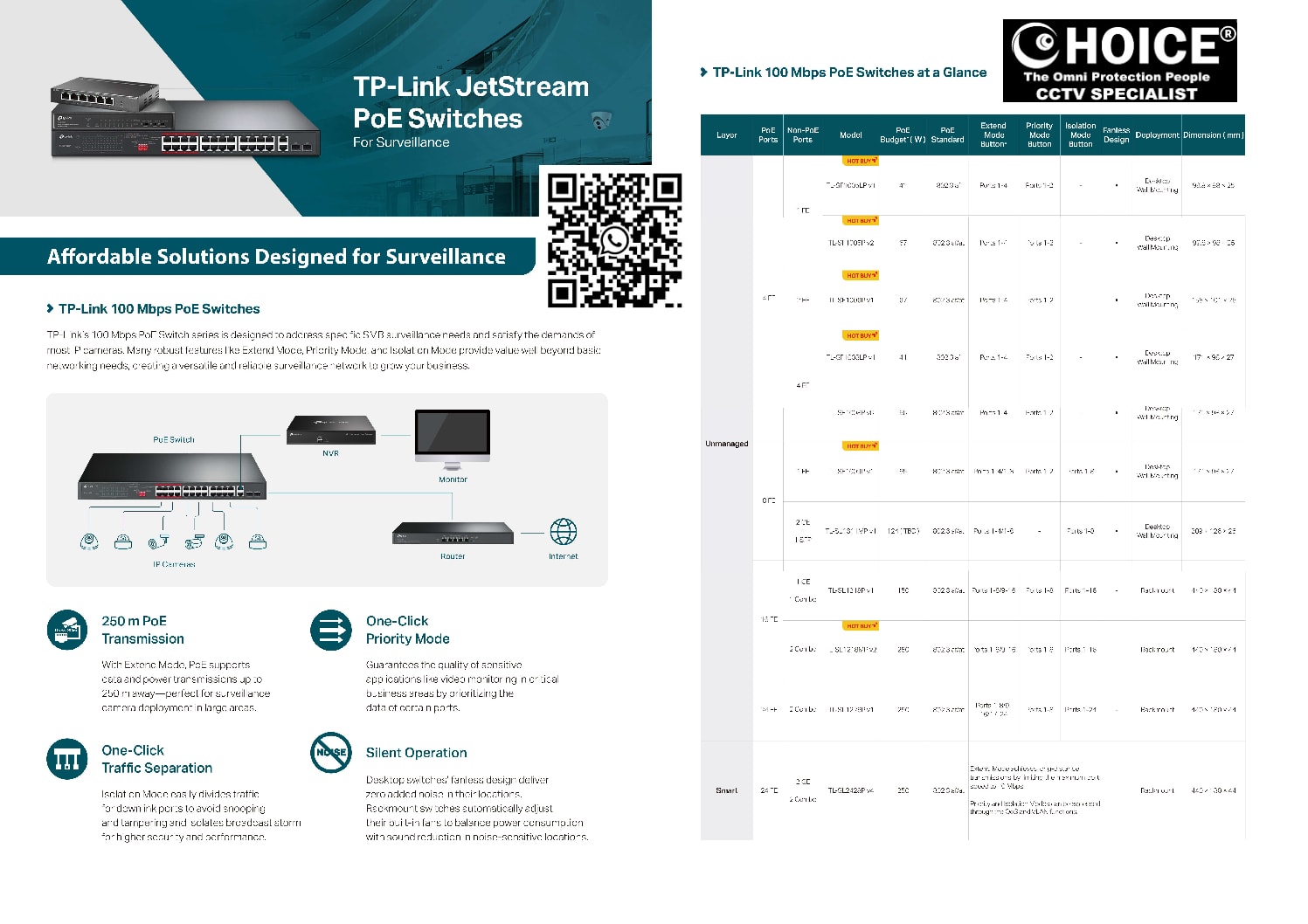
The TP-Link Omada ES210GMP is a compact 10-Port Gigabit Easy Managed PoE+ Switch designed for CCTV surveillance, IP cameras, Wi-Fi access points, IP intercom, VoIP and SME networks.
It provides 8 × Gigabit PoE+ ports, one additional Gigabit RJ45 port and one Gigabit SFP/RJ45 combo port, together with a substantial 123W PoE power budget. TP-Link also supports centralized management through the Omada ecosystem. (TP-Link)
For small and medium CCTV installations, the ES210GMP is particularly attractive because it combines PoE Auto Recovery, up to 250m PoE Extend, VLAN, Port Isolation, QoS, cable diagnostics and Omada cloud management in a compact fanless metal enclosure.
10 Gigabit Ports with 8-Port PoE+
The ES210GMP provides:
8 × 10/100/1000Mbps PoE+ RJ45 Ports
1 × 10/100/1000Mbps RJ45 Port
1 × Gigabit SFP/RJ45 Combo Port
The eight PoE ports support IEEE 802.3af/at, with up to 30W per PoE port and a total available PoE budget of 123W. (TP-Link)
This makes the switch suitable for powering compatible:
IP CCTV Cameras • Wi-Fi Access Points • IP Phones • Video Intercoms • Door Access Devices • Other PoE Equipment
123W PoE Budget
A major advantage over many small desktop PoE switches is the 123W total PoE budget.
For example, a system with eight conventional IP cameras consuming around 8W each would require approximately 64W, leaving additional power headroom.
However, PoE design should always be based on the actual maximum consumption of every connected device, particularly when PTZ cameras, heaters, illuminators or high-power access points are involved.
TP-Link specifies up to 30W per PoE+ port, subject to the overall 123W budget. (TP-Link)
Lifetime Free Omada Cloud Essentials
One of the strongest selling points of the ES210GMP is compatibility with Omada Cloud Essentials.
TP-Link describes Omada Cloud Essentials as:
“Lifetime Free Cloud without Any Additional Fees.”
The service operates entirely in the cloud and does not require a dedicated hardware or software controller for the supported Cloud Essentials architecture. It provides centralized management for multiple sites, browser/app access and zero-touch provisioning for supported equipment. (TP-Link)
NO HARDWARE CONTROLLER REQUIRED
NO SOFTWARE CONTROLLER REQUIRED
NO ADDITIONAL CLOUD FEE FOR CLOUD ESSENTIALS
CENTRALIZED MULTI-SITE MANAGEMENT
WEB + OMADA APP ACCESS
This can significantly reduce the cost and complexity of remotely managing smaller CCTV and business networks.
TP-Link also offers other Omada management tiers and deployment methods, so “lifetime free” should specifically refer to the Omada Cloud Essentials service and its included feature set. (TP-Link)
Cloud Centralized Management
A business operating multiple sites can manage compatible Omada equipment through a centralized platform.
For example:
SHOP 1 ─┐
OFFICE ─┼→ OMADA CLOUD → PC / WEB / MOBILE APP
WAREHOUSE ─┤
CCTV SITE ─┘
Instead of travelling to every site simply to check a switch or network status, administrators can remotely manage supported functions.
The ES210GMP supports centralized management through Omada Cloud-Based Controller, Omada Hardware Controller and Omada Software Controller. (TP-Link)
Designed for CCTV Surveillance Networks
TP-Link specifically highlights the ES210GMP for surveillance networking.
Useful CCTV-oriented functions include:
PoE Auto Recovery
Remote Camera Reboot
Cable Diagnostics
Up to 250m PoE Extend
Port Isolation
VLAN
QoS
Automatic Loop Prevention
These functions provide much better troubleshooting and network control than a conventional unmanaged PoE switch. (TP-Link)
PoE Auto Recovery – Restart Offline Cameras
An IP camera may occasionally stop responding even though the network cable remains connected.
The ES210GMP supports PoE Auto Recovery in standalone mode. TP-Link also provides IntelliRecover/manual recovery functionality depending on controller mode and hardware/software version. (TP-Link)
This creates a useful surveillance workflow:
CAMERA OFFLINE → DETECT PROBLEM → PoE POWER CYCLE → CAMERA RESTART
Remote PoE recovery can reduce unnecessary service trips where the issue is simply a temporarily unresponsive PoE device.
It cannot repair a physically damaged camera, faulty cable or failed network port.
Remote Camera Reboot
When centrally managed, remote troubleshooting can allow a technician or administrator to attempt recovery without immediately visiting the premises.
For CCTV maintenance companies, this can potentially reduce:
Transport Cost • Technician Time • Downtime • Simple Reset Service Calls
TP-Link explicitly highlights Remote Camera Reboot and cable testing as troubleshooting functions for the ES210GMP. (TP-Link)
Up to 250m Long-Distance PoE
The ES210GMP supports PoE transmission up to 250m / 820ft in the applicable Extend Mode. (TP-Link)
This can be useful for CCTV cameras positioned at:
Car Parks • Warehouses • Long Corridors • Factories • Guardhouses • Compounds • Remote Entrances
There is an important technical limitation: when 250m PoE Extend Mode is enabled, TP-Link specifies that the applicable port speed is reduced to 10Mbps. Actual achievable distance also depends on cable quality. (TP-Link)
For most appropriately configured sub-4K surveillance streams this may still be workable, but camera bitrate and project requirements should be checked before deployment.
Gigabit SFP / RJ45 Combo Port
The ES210GMP includes a Gigabit SFP/RJ45 combo interface. (TP-Link)
This gives installers flexibility when designing an uplink.
For example:
NVR / CORE SWITCH → FIBRE → SFP → ES210GMP → PoE CAMERAS
or
ROUTER / CORE SWITCH → CAT6 → RJ45 UPLINK → ES210GMP
Because it is a combo port, the SFP and associated RJ45 interface should not be counted as two independently usable simultaneous ports. The product is correctly described as a 10-port switch, not an 11-port switch. (TP-Link)
VLAN – Separate CCTV from Office Network
The ES210GMP supports 802.1Q VLAN, allowing network traffic to be logically separated. Current documentation specifies up to 32 VLAN groups and 4K VLAN IDs. (TP-Link)
A commercial network could be designed as:
VLAN 10 – CCTV
VLAN 20 – Office
VLAN 30 – Wi-Fi
VLAN 40 – Door Access
VLAN 50 – Guest Wi-Fi
This can improve network organisation and security when VLANs are combined with correctly configured routing and firewall policies.
Port Isolation for IP Cameras
Port Isolation can be particularly useful in CCTV networks.
Camera ports can be isolated from one another while retaining required connectivity toward the NVR or uplink, depending on the chosen network configuration.
This reduces unnecessary direct communication between edge devices and can simplify surveillance-network segmentation.
TP-Link lists Port Isolation among the ES210GMP’s surveillance features. (TP-Link)
Cable Diagnostics
When an IP camera is offline, the camera itself may not be the problem.
Possible causes include:
Broken Cat6 Cable • Poor RJ45 Termination • Network Port Fault • PoE Problem • Configuration Error • Camera Failure
The ES210GMP includes cable diagnostic functionality, giving technicians another tool for identifying network-side faults. (TP-Link)
For CCTV maintenance, this is considerably more useful than a basic unmanaged switch that provides little diagnostic information.
Automatic Loop Prevention
An accidental Ethernet loop can cause serious network disruption.
The ES210GMP provides automatic loop prevention / loopback detection functionality to help protect the network from common cabling mistakes. (TP-Link)
This is useful for SME networks where staff or contractors may occasionally reconnect network cables without understanding the network topology.
IGMP Snooping
The ES210GMP supports IGMP v1/v2/v3 Snooping, Fast Leave and related multicast-management functions. (TP-Link)
This allows the switch to handle multicast traffic more efficiently instead of unnecessarily forwarding multicast packets to every connected device.
QoS – Prioritise Important Traffic
The ES210GMP supports Port-Based, 802.1p and DSCP QoS, along with eight priority queues, bandwidth control and storm-control functions. (TP-Link)
This can be useful where the same network carries:
CCTV Video • Voice • Business Data • Wi-Fi • Internet Traffic
Correct QoS design can prioritise important traffic according to the site’s operational requirements.
Fast PoE & Perpetual PoE
Current ES210GMP documentation also specifies Fast PoE and Perpetual PoE functionality. (TP-Link)
These capabilities are useful for reducing unnecessary interruption to connected PoE devices during relevant switch startup or restart scenarios.
6kV Surge Protection
TP-Link specifies ±6kV surge protection for the ES210GMP. (TP-Link)
This provides additional protection for the switch, although outdoor CCTV installations should still use proper earthing, suitable surge protection and appropriate cabling practices.
A switch’s built-in surge protection should not be treated as a replacement for a properly engineered lightning and surge-protection system.
Fanless Silent Design
Unlike larger rackmount PoE switches that may use cooling fans, the ES210GMP has a fanless design.
This provides:
Silent Operation • No Fan Noise • Fewer Moving Components
The metal enclosure supports desktop or wall mounting and measures approximately 209 × 126 × 26mm. (TP-Link)
This makes it particularly suitable for:
Small Office • Retail Shop • CCTV Cabinet • Reception • Clinic • Small Server/Network Area
20Gbps Switching Capacity
Despite its compact dimensions, the ES210GMP provides:
20Gbps Switching Capacity
14.88Mpps Packet Forwarding Rate
8K MAC Address Table
4Mbit Packet Buffer
15KB Jumbo Frames (TP-Link)
These specifications provide a solid platform for small-to-medium Gigabit surveillance and business networks.
Ideal CCTV Architecture
A typical CCTV deployment can be:
INTERNET
↓
ROUTER / FIREWALL
↓
TP-LINK OMADA ES210GMP
↓
8 × PoE IP CAMERAS
with the additional Gigabit uplink used for the NVR/core network according to the project design.
For longer links, the SFP combo interface can be used with a suitable fibre module.
ES210GMP vs ES208GP
For customers deciding between these two compact Omada switches:
| Feature | ES208GP | ES210GMP |
|---|---|---|
| PoE+ Ports | 8 | 8 |
| Total Gigabit Interfaces | 8 | 10 |
| Dedicated Additional RJ45 | — | 1 |
| SFP/RJ45 Combo | — | 1 |
| PoE Budget | 64W | 123W |
| Centralized Omada Management | Yes | Yes |
| Cloud Essentials | Supported | Supported |
| Fanless | Yes | Yes |
The ES210GMP provides substantially more PoE capacity plus additional uplink flexibility, making it especially useful for CCTV installations with higher overall power requirements. ES208GP specifications vary by hardware version/market, so the exact unit should be checked when making a procurement comparison. (TP-Link)
TP-Link OMADA ES210GMP 10-Port Gigabit Managed Switch 8-Port PoE Lifetime Free Cloud No Fees Cloud Centralized Management Singapore
The TP-Link ES210GMP provides a strong combination for modern IP CCTV and SME networks:
10 GIGABIT PORTS
8 × PoE+
123W PoE BUDGET
GIGABIT SFP/RJ45 COMBO
250M PoE EXTEND
PoE AUTO RECOVERY
VLAN + PORT ISOLATION
CABLE DIAGNOSTICS
FANLESS
OMADA CENTRALIZED CLOUD MANAGEMENT
LIFETIME FREE CLOUD ESSENTIALS – NO ADDITIONAL CLOUD FEES FOR THE ESSENTIALS TIER (TP-Link)
Suitable for:
CCTV • IP CAMERA • SECURITY SYSTEM • Wi-Fi AP • OFFICE • RETAIL • WAREHOUSE • SME • MULTI-SITE NETWORK
For CCTV, PoE networking, switch replacement and security-system support in Singapore:
10 Frequently Asked Questions
1. How many ports does the TP-Link ES210GMP have?
It has 10 Gigabit interfaces: eight PoE+ RJ45 ports, one additional Gigabit RJ45 port and one Gigabit SFP/RJ45 combo interface. (TP-Link)
2. Do all eight camera ports support PoE+?
Yes. Ports 1–8 support IEEE 802.3af/at PoE+, providing up to 30W per port subject to the overall power budget. (TP-Link)
3. What is the ES210GMP total PoE budget?
The specified available PoE budget is 123W across its eight PoE+ ports. (TP-Link)
4. Is TP-Link Omada Cloud Essentials really free?
TP-Link describes Omada Cloud Essentials as lifetime-free cloud without additional fees for the Essentials service. It is separate from higher-feature subscription options such as Cloud Standard. (TP-Link)
5. Do I need to buy an Omada hardware controller?
Not when using the supported Omada Cloud Essentials architecture. TP-Link states that Cloud Essentials exists entirely in the cloud and does not require a hardware or software controller. (TP-Link)
6. Can I manage the ES210GMP remotely?
Yes. It supports Omada centralized management, including cloud-based controller deployment with web and Omada app access. (TP-Link)
7. Can it automatically restart an offline IP camera?
Yes. PoE Auto Recovery is supported in standalone mode. Controller-mode recovery behaviour differs, so configuration should follow the applicable firmware/controller architecture. (TP-Link)
8. Can ES210GMP transmit PoE up to 250 metres?
Yes, under the supported Extend Mode and appropriate cabling conditions. The applicable port is limited to 10Mbps in 250m mode. (TP-Link)
9. Does the ES210GMP have an SFP fibre port?
Yes. It has one Gigabit SFP/RJ45 combo interface, allowing either the supported SFP or associated RJ45 interface to be used according to the network design. (TP-Link)
10. Is ES210GMP suitable for CCTV?
Yes. Its eight PoE+ ports, 123W budget, long-range PoE, PoE recovery, Port Isolation, VLAN, cable diagnostics and centralized management are specifically useful for appropriately sized IP surveillance networks. (TP-Link)
TP-Link OMADA ES210GMP 10-Port Gigabit Managed Switch 8-Port PoE Lifetime Free Cloud No Fees Cloud Centralized Management Singapore
#TPLink #TPLinkOmada #ES210GMP #Omada #OmadaCloud #FreeCloudManagement #PoESwitch #PoEPlus #ManagedSwitch #GigabitSwitch #CCTVNetwork #IPCamera #CCTVSingapore #SecuritySystemSingapore #SGCCTV
Boost your business network with the TP-Link Omada ES210GMP, a 10-Port Gigabit Managed Switch designed for reliability, efficiency, and smart scalability. Featuring 8 PoE-enabled ports with a 130W total PoE budget, this switch is ideal for powering IP cameras, wireless access points, and VoIP phones without the hassle of extra power supplies.
With Lifetime Free Omada Cloud Management, you enjoy full centralized network control from anywhere — at no cost. The ES210GMP integrates seamlessly with the TP-Link Omada SDN platform, enabling you to manage routers, switches, and access points through a single, user-friendly interface.
Key Features & Advantages
10 Gigabit Ports – 8 PoE+ ports (802.3af/at) + 2 Gigabit uplink ports for high-speed connectivity.
130W PoE Power Budget – Supports multiple high-power PoE devices simultaneously.
Lifetime Free Cloud Management – No subscription fees; monitor and control your network anytime.
Centralized Omada SDN Control – Simplify network setup, configuration, and monitoring.
Advanced Management Tools – VLAN, QoS, IGMP Snooping, and PoE scheduling for performance optimization.
Robust & Professional Design – Metal housing, rack-mountable for SMEs, hotels, schools, and retail setups.
Plug-and-Play Deployment – Easy to integrate into existing network infrastructure.
Perfect for
CCTV security camera networks & NVR connections
Wireless access point deployments in offices & hotels
VoIP phone systems for call centers & enterprises
Small and medium business networks in Singapore
Why Choose the TP-Link Omada ES210GMP?
This model is the perfect balance of cost efficiency, PoE flexibility, and enterprise-grade cloud management — all with zero ongoing fees. Whether upgrading your office network or powering a surveillance system, the ES210GMP ensures fast, secure, and scalable performance.
📞 Contact us for the best price & professional installation in Singapore
🌐 https://sgcctv.biz
📩 enquiry@choicecycle.com.sg
📱 WhatsApp: +65 98534404
Router 4G SIM CARD CC4G2P || Mobile CCTV Wireless CC4GR LTE 4G || Gigabit Switch Router SGCCTV SV-SG7052XGSM ||
Ruijie Gigabit Cloud Managed Router RG-EG105GW || RUIJIE Wi-Fi 6 Dual-band Gigabit RG-EW1800GX PRO ||
Ruijie Wireless Access Point RG-AP820-L Access Points || Ruijie Access Point RG-RAP2260 ||
Gigabit Switch Router TP-Link TL-SG3452P || Gigabit Switch Router TP-Link TL-SL1218MP ||
TP-Link OMADA ES210GMP 10-Port Gigabit Managed Switch 8-Port PoE Lifetime Free Cloud No Fees Cloud Centralized Management Singapore


Nunc lacus elit, faucibus ac laoreet sed, dapibus ac mi. Maecenas eu ante a elit tempus fermentum. Aliquam commodo tincidunt semper. Phasellus accumsan, justo ac mollis pharetra, ex dui pharetra nisl, a scelerisque ipsum nulla ac sem. Cras eu risus urna. Duis lorem sapien, congue eget nisl sit amet, rutrum faucibus elit.
Donec accumsan auctor iaculis. Sed suscipit arcu ligula, at egestas magna molestie a. Proin ac ex maximus, ultrices justo eget, sodales orci. Aliquam egestas libero ac turpis pharetra, in vehicula lacus scelerisque. Vestibulum ut sem laoreet, feugiat tellus at, hendrerit arcu.
Nunc lacus elit, faucibus ac laoreet sed, dapibus ac mi. Maecenas eu ante a elit tempus fermentum. Aliquam commodo tincidunt semper. Phasellus accumsan, justo ac mollis pharetra, ex dui pharetra nisl, a scelerisque ipsum nulla ac sem. Cras eu risus urna. Duis lorem sapien, congue eget nisl sit amet, rutrum faucibus elit.


Reviews
There are no reviews yet.